WireRanked may earn a commission when you click links on this page. Our recommendations are editorially reviewed, and affiliate relationships do not guarantee placement or ranking.
Best Free CRM Software (2026)
Six genuinely free CRM plans ranked by useful features, user and contact limits, upgrade pressure, and the operating model each one fits.
By WireRanked Editorial Team · Updated August 3, 2026
Which CRM Is Best for You? Choose Your Preference.
Your Route
HubSpot Smart CRM
Best for A third regular user or premium automation. HubSpot Free supports two users; advanced automation, reporting, permissions, and premium Hub features require payment.
Six genuinely free CRM plans ranked by useful features, user and contact limits, upgrade pressure, and the operating model each one fits.
By WireRanked Editorial Team · Updated August 3, 2026
Best free CRM software overall
HubSpot Smart CRM
HubSpot has the broadest coherent free toolkit here, but its two-user and 1,000-contact caps make the upgrade boundary easy to hit.
9.5/10WireRanked score
Best forA third regular user or premium automation
HubSpot has the broadest coherent free toolkit here, but its two-user and 1,000-contact caps make the upgrade boundary easy to hit.
It is the strongest overall match for the priorities evaluated in this guide. Its balance of fit, setup, value, capability, integrations, and risk puts it ahead for the broadest set of readers. For most teams, that combination creates the clearest path from evaluation to a confident decision.
Which CRM Is Best for You? Choose Your Preference.
Your Route
HubSpot Smart CRM
Best for A third regular user or premium automation. HubSpot Free supports two users; advanced automation, reporting, permissions, and premium Hub features require payment.
Best forA third regular user or premium automationStarting price$0; up to 2 users and 1,000 contactsLast verified July 29, 2026Editorial callBest free CRM software overall
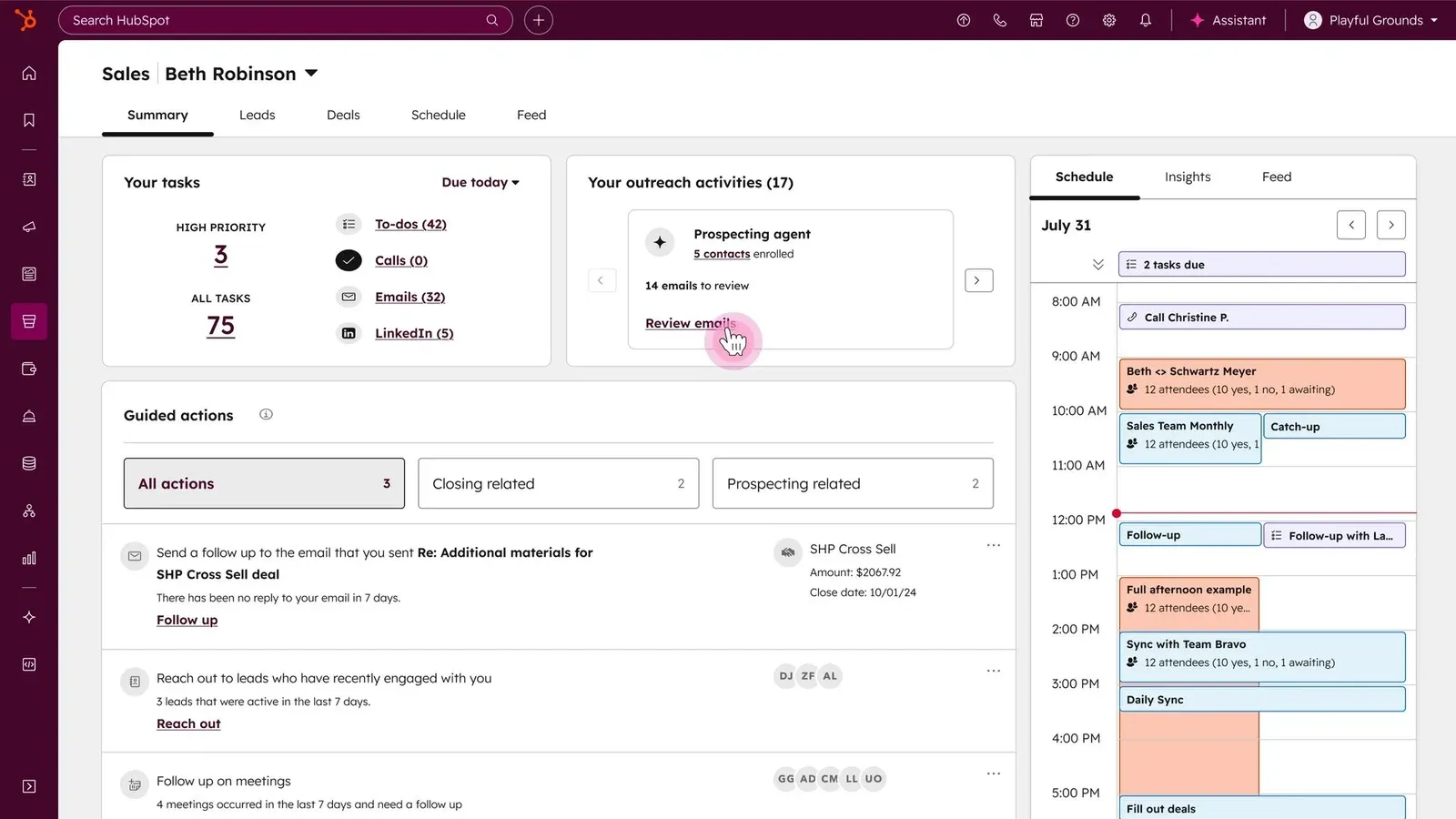
HubSpot Smart CRM product interface · Official vendor image
HubSpot ranks first because its free CRM extends beyond a deal board. Two users can manage contacts and pipelines while using reporting, meetings, forms, live chat, ticketing, email tools, and a marketplace with more than 2,000 advertised integrations around the same customer record.
The plan is ongoing rather than a countdown: HubSpot says it has no expiration date and requires no credit card. Its first upgrade triggers are a third regular user, more than 1,000 contacts, or premium automation, reporting, governance, and Hub functionality. That paid path can become complex, so price the first configuration the team would actually need.
Best for: two people wanting basic sales, marketing, and service in one system. Skip this if: three users need access immediately. Key tradeoff: the broadest integrated free toolkit here has a firm two-user ceiling. Final verdict: choose HubSpot when total free-plan usefulness matters more than one additional seat.
Key tradeoff: Only two free users

Free-plan scope
$0; up to 2 users and 1,000 contacts · SourceChecked July 26, 2026
Binding limit
Free is capped at two users and 1,000 contacts; premium automation and controls require an upgrade. · SourceChecked July 26, 2026
Zoho gives a small team the strongest conventional CRM core at $0, but email integration, multiple pipelines, calling, forms, and forecasting sit above Free.
Best forA fourth user, email integration, or multiple pipelinesStarting price$0 forever for 3 usersLast verified July 29, 2026Editorial callBest traditional free CRM for three users
Zoho CRM product interface · Official vendor image
Zoho CRM is the strongest conventional free sales database here. Three users can manage leads, contacts, deals, activities, workflows, standard reports, mobile access, imports, and developer access without paying.
The upgrade boundary arrives when the CRM must handle communication or a more complex operating model. Email integration, multiple pipelines, calling, forms, forecasting, enrichment, and custom modules sit above Free. Zoho’s wider application portfolio creates a long runway, but also more edition and configuration work.
Best for: a three-person team wanting a traditional lead-and-deal workflow. Skip this if: free email integration or multiple pipelines is essential. Key tradeoff: one more free user than HubSpot, but a narrower integrated toolkit. Final verdict: choose Zoho when the third seat and conventional CRM depth matter most.
Key tradeoff: Free user cap is three
Free-plan scope
$0 forever for 3 users · SourceChecked July 26, 2026
Binding limit
Free includes one small-team CRM core; multiple pipelines, email integration, calling, forms, forecasting, enrichment, and custom modules require Standard or above. · SourceChecked July 26, 2026
Bigin is the cleanest solo starting point in this list. The compromise is a 500-record pool shared by contacts, pipeline entries, activities, and notes.
Best forA second user or more than 500 total recordsStarting price$0 for 1 user and 500 total recordsLast verified July 29, 2026Editorial callBest free CRM for a solo pipeline
Bigin by Zoho CRM product interface · Official vendor image
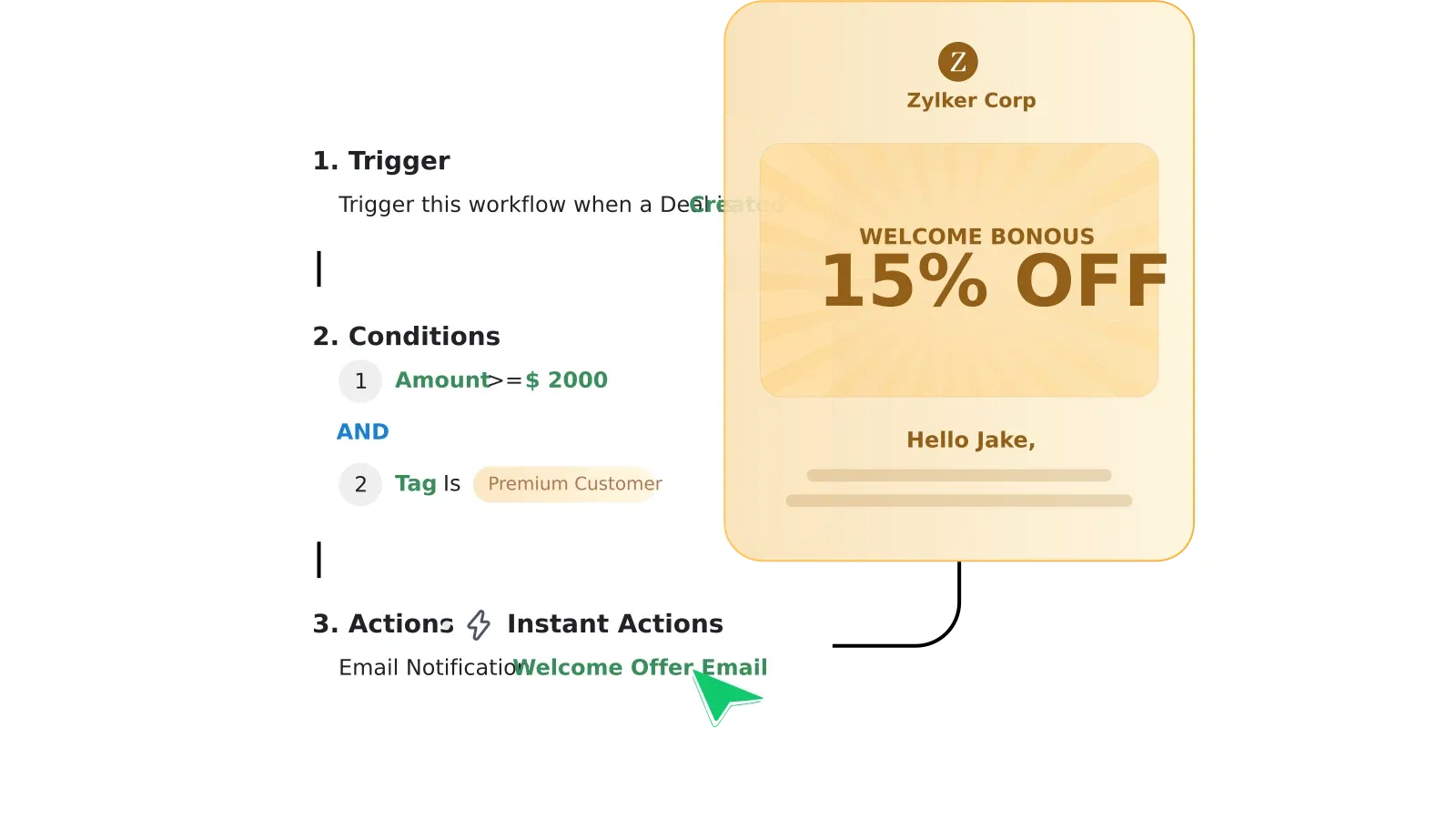
Bigin is the focused choice for one operator leaving a spreadsheet. Free includes one pipeline, contacts, products, tasks, calls, events, three automations, forms, one booking page, APIs, a dashboard, and selected integrations.
Its 500-record pool includes pipeline records, contacts, activities, and notes, so history consumes capacity faster than a “500 contacts” allowance would. A second user, email or WhatsApp integration, team pipelines, additional automation, or database growth triggers the paid decision.
Best for: one person needing a simple visual pipeline and light automation. Skip this if: a second user or large activity history is required. Key tradeoff: focused adoption with a small shared record pool. Final verdict: choose Bigin as a deliberate solo bridge from spreadsheets.
Key tradeoff: Free is single-user only
Free-plan scope
$0 for 1 user and 500 total records · SourceChecked July 26, 2026
Binding limit
One user, one pipeline, 500 total records, three automations, and one booking page. Email integration and team pipelines require Express. · SourceChecked July 26, 2026
Bitrix24 removes the seat cap, which no other pick here does. Its 5 GB storage and basic free CRM make it a collaboration-first choice, not the cleanest sales system.
Best forMore storage or advanced sales executionStarting price$0 with unlimited users and 5 GB storageLast verified July 29, 2026Editorial callBest free CRM for unlimited users
Bitrix24 product interface · Official vendor image
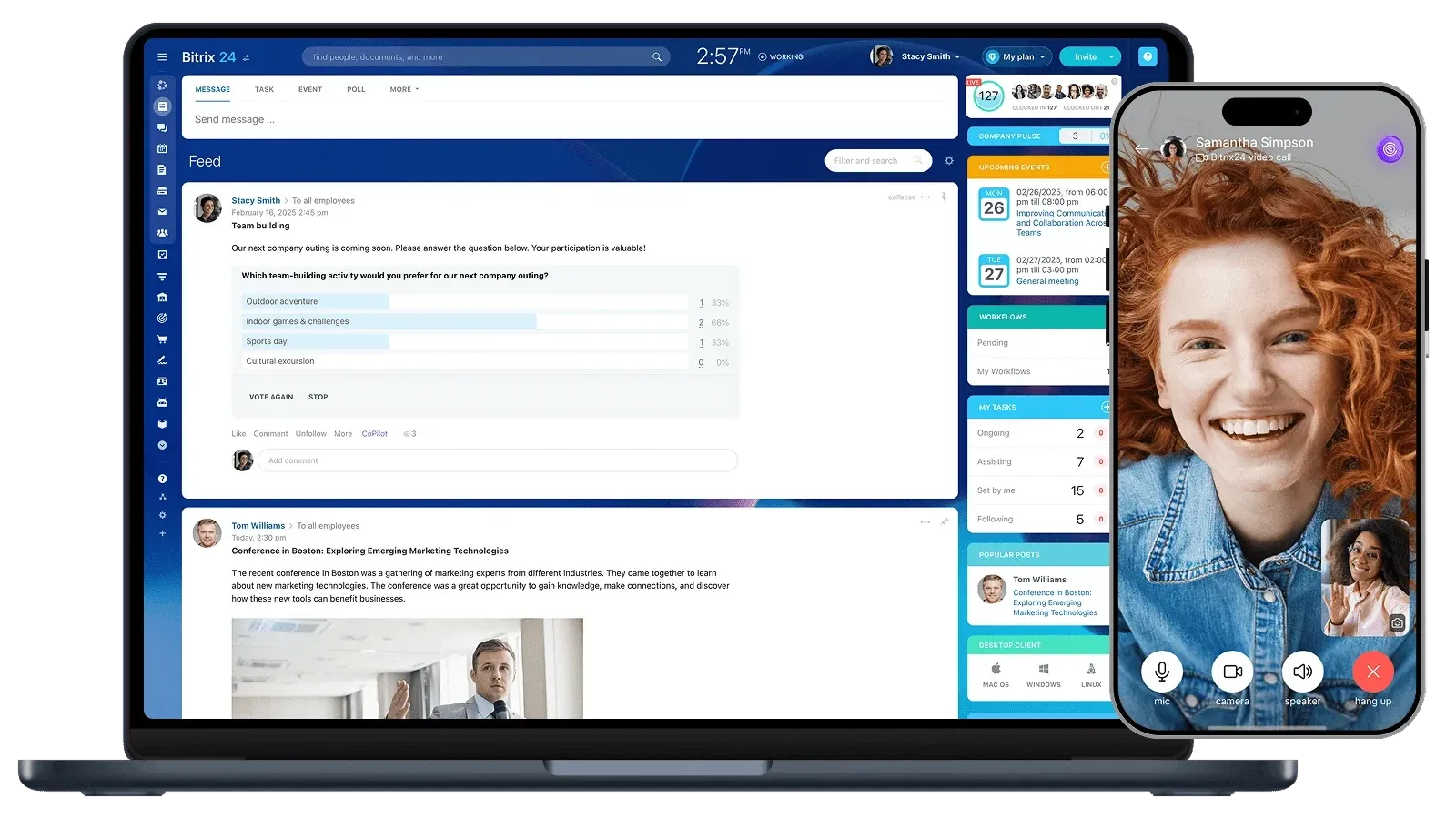
Bitrix24 is the seat-count winner: its official FAQ states that the Free account supports unlimited users without a time limit. Basic deals and contacts sit alongside tasks, chat, video, calendars, documents, and collaboration.
The free CRM is explicitly basic. Storage is capped at 5 GB, while advanced pipelines, telephony, sales automation, and marketplace apps create upgrade pressure. Its broad operating surface also requires more setup, permissions, navigation, and ownership than a focused CRM.
Best for: many users sharing a basic CRM and collaboration layer. Skip this if: the sales team needs advanced execution tools for free. Key tradeoff: unlimited seats do not mean unlimited CRM depth. Final verdict: choose Bitrix24 only when access for many users is the binding requirement.
Key tradeoff: Only 5 GB storage

Free-plan scope
$0 with unlimited users and 5 GB storage · SourceChecked July 26, 2026
Binding limit
Free provides basic deals and contacts with 5 GB storage. Sales pipelines, telephony, sales automation, and other advanced tools appear on paid plans. · SourceChecked July 26, 2026
Best forMore than 250 contacts or broader automationStarting price$0 for up to 15 users; 250 contactsLast verified July 29, 2026Editorial callBest free CRM for a 15-person micro team
EngageBay product interface · Official vendor image
EngageBay has the most unusual free-plan shape here: up to 15 users but only 250 contacts. It combines basic CRM, appointments, email tracking, forms, a landing page, two sequences, ticketing, and support for a small shared account list.
The contact ceiling is the real price. A team can exhaust 250 records quickly, and the free marketing, reporting, field, page, sequence, and automation allowances are constrained. Define which records belong in the CRM before importing prospects, customers, partners, and subscribers.
Best for: many collaborators working a deliberately small named-account list. Skip this if: the database will soon exceed 250 contacts. Key tradeoff: generous user access paired with the tightest database tier. Final verdict: choose EngageBay when collaboration matters more than contact volume.
Key tradeoff: Only 250 contacts
Free-plan scope
$0 for up to 15 users; 250 contacts · SourceChecked July 26, 2026
Binding limit
Free is capped at 250 contacts, 1,000 branded emails, two lists, five forms, five popups, one landing page, and two email sequences, with limited reporting and customization. · SourceChecked July 26, 2026
06
Best free CRM for lightweight relationship tracking
Capsule is deliberately small and legible: 250 contacts, five custom fields, and one pipeline. It is easy to outgrow, which is also what makes the free scope understandable.
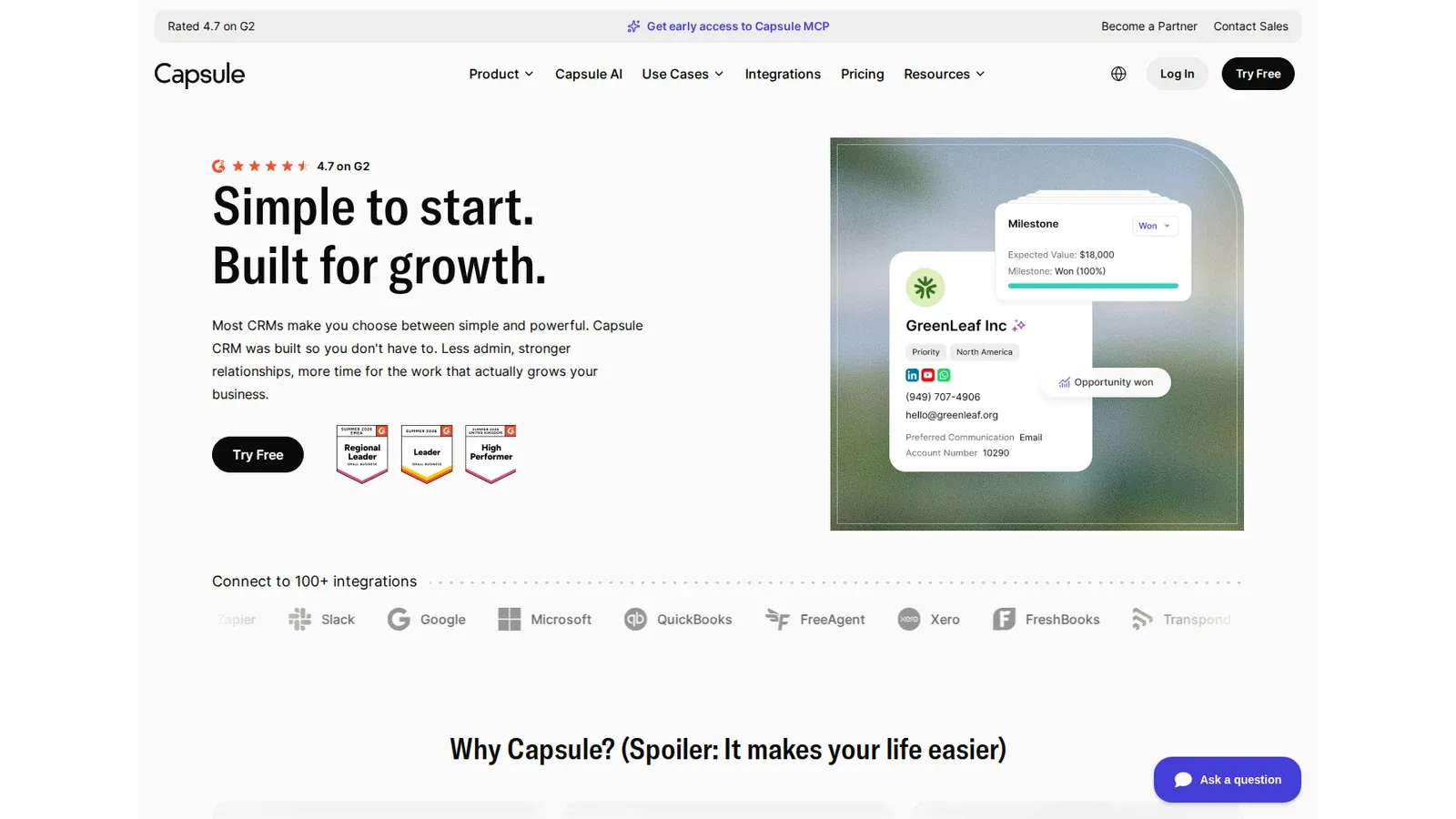
Best forMore than 250 contacts or workflow automationStarting price$0 for 2 users and 250 contactsLast verified July 29, 2026Editorial callBest free CRM for lightweight relationship tracking
Capsule product interface · Official vendor image
Capsule Free is deliberately legible: two users, 250 contacts, five custom fields, one sales pipeline, one project board, and Gmail or Outlook sending. It fits a small relationship-led team that values a narrow operating model.
Contact growth is the first obvious upgrade trigger. Workflow automation, reporting, shared mailbox features, templates, premium integrations, multiple pipelines, and higher limits also require payment. That ceiling makes Capsule poor for fast growth but easy to model for a stable book of relationships.
Best for: one or two people with fewer than 250 important relationships. Skip this if: automation, reporting, or multiple pipelines are current requirements. Key tradeoff: clarity and low complexity come with a small database ceiling. Final verdict: choose Capsule for intentionally lightweight relationship tracking.
Key tradeoff: Only 250 contacts

Free-plan scope
$0 for 2 users and 250 contacts · SourceChecked July 26, 2026
Binding limit
Free is capped at two users, 250 contacts, five custom fields, one sales pipeline, and one project board. Workflow automation is paid. · SourceChecked July 26, 2026
Disclosure: WireRanked may earn a commission if you buy through links on our site. Affiliate relationships do not determine our rankings.
HubSpot is the best free CRM software overall because this guide ranks the usefulness of the entire ongoing free plan—not simply the number of free seats. Zoho supports three users instead of two, but HubSpot’s connected sales, marketing, service, forms, meetings, reporting, and integration toolkit outweighs that extra seat for most micro teams.
Here, “free CRM” means an ongoing $0 plan, not a free trial or limited-time promotion. This is official-source desk research, not hands-on testing; we compared the first limit likely to force an upgrade, including users, contacts, records, storage, pipelines, email, automation, and reporting.
The shortlist
Our ranked free CRM picks
Six ongoing free CRM plans ranked by total usefulness at $0, not seat count alone. HubSpot leads for its integrated sales, marketing, and service toolkit; Zoho is the stronger three-user traditional CRM.
Zoho gives a small team the strongest conventional CRM core at $0, but email integration, multiple pipelines, calling, forms, and forecasting sit above Free.
Best for
A fourth user, email integration, or multiple pipelines
Bigin is the cleanest solo starting point in this list. The compromise is a 500-record pool shared by contacts, pipeline entries, activities, and notes.
Bitrix24 removes the seat cap, which no other pick here does. Its 5 GB storage and basic free CRM make it a collaboration-first choice, not the cleanest sales system.
Capsule is deliberately small and legible: 250 contacts, five custom fields, and one pipeline. It is easy to outgrow, which is also what makes the free scope understandable.
Best forA third regular user or premium automationStarting price$0; up to 2 users and 1,000 contactsLast verified July 29, 2026Editorial callBest free CRM software overall
HubSpot Smart CRM product interface · Official vendor image
HubSpot ranks first because its free CRM extends beyond a deal board. Two users can manage contacts and pipelines while using reporting, meetings, forms, live chat, ticketing, email tools, and a marketplace with more than 2,000 advertised integrations around the same customer record.
The plan is ongoing rather than a countdown: HubSpot says it has no expiration date and requires no credit card. Its first upgrade triggers are a third regular user, more than 1,000 contacts, or premium automation, reporting, governance, and Hub functionality. That paid path can become complex, so price the first configuration the team would actually need.
Best for: two people wanting basic sales, marketing, and service in one system. Skip this if: three users need access immediately. Key tradeoff: the broadest integrated free toolkit here has a firm two-user ceiling. Final verdict: choose HubSpot when total free-plan usefulness matters more than one additional seat.
Key tradeoff: Only two free users
Free-plan scope
$0; up to 2 users and 1,000 contacts · SourceChecked July 26, 2026
Binding limit
Free is capped at two users and 1,000 contacts; premium automation and controls require an upgrade. · SourceChecked July 26, 2026
Zoho gives a small team the strongest conventional CRM core at $0, but email integration, multiple pipelines, calling, forms, and forecasting sit above Free.
Best forA fourth user, email integration, or multiple pipelinesStarting price$0 forever for 3 usersLast verified July 29, 2026Editorial callBest traditional free CRM for three users
Zoho CRM product interface · Official vendor image
Zoho CRM is the strongest conventional free sales database here. Three users can manage leads, contacts, deals, activities, workflows, standard reports, mobile access, imports, and developer access without paying.
The upgrade boundary arrives when the CRM must handle communication or a more complex operating model. Email integration, multiple pipelines, calling, forms, forecasting, enrichment, and custom modules sit above Free. Zoho’s wider application portfolio creates a long runway, but also more edition and configuration work.
Best for: a three-person team wanting a traditional lead-and-deal workflow. Skip this if: free email integration or multiple pipelines is essential. Key tradeoff: one more free user than HubSpot, but a narrower integrated toolkit. Final verdict: choose Zoho when the third seat and conventional CRM depth matter most.
Key tradeoff: Free user cap is three
Free-plan scope
$0 forever for 3 users · SourceChecked July 26, 2026
Binding limit
Free includes one small-team CRM core; multiple pipelines, email integration, calling, forms, forecasting, enrichment, and custom modules require Standard or above. · SourceChecked July 26, 2026
Bigin is the cleanest solo starting point in this list. The compromise is a 500-record pool shared by contacts, pipeline entries, activities, and notes.
Best forA second user or more than 500 total recordsStarting price$0 for 1 user and 500 total recordsLast verified July 29, 2026Editorial callBest free CRM for a solo pipeline
Bigin by Zoho CRM product interface · Official vendor image
Bigin is the focused choice for one operator leaving a spreadsheet. Free includes one pipeline, contacts, products, tasks, calls, events, three automations, forms, one booking page, APIs, a dashboard, and selected integrations.
Its 500-record pool includes pipeline records, contacts, activities, and notes, so history consumes capacity faster than a “500 contacts” allowance would. A second user, email or WhatsApp integration, team pipelines, additional automation, or database growth triggers the paid decision.
Best for: one person needing a simple visual pipeline and light automation. Skip this if: a second user or large activity history is required. Key tradeoff: focused adoption with a small shared record pool. Final verdict: choose Bigin as a deliberate solo bridge from spreadsheets.
Key tradeoff: Free is single-user only
Free-plan scope
$0 for 1 user and 500 total records · SourceChecked July 26, 2026
Binding limit
One user, one pipeline, 500 total records, three automations, and one booking page. Email integration and team pipelines require Express. · SourceChecked July 26, 2026
Bitrix24 removes the seat cap, which no other pick here does. Its 5 GB storage and basic free CRM make it a collaboration-first choice, not the cleanest sales system.
Best forMore storage or advanced sales executionStarting price$0 with unlimited users and 5 GB storageLast verified July 29, 2026Editorial callBest free CRM for unlimited users
Bitrix24 product interface · Official vendor image
Bitrix24 is the seat-count winner: its official FAQ states that the Free account supports unlimited users without a time limit. Basic deals and contacts sit alongside tasks, chat, video, calendars, documents, and collaboration.
The free CRM is explicitly basic. Storage is capped at 5 GB, while advanced pipelines, telephony, sales automation, and marketplace apps create upgrade pressure. Its broad operating surface also requires more setup, permissions, navigation, and ownership than a focused CRM.
Best for: many users sharing a basic CRM and collaboration layer. Skip this if: the sales team needs advanced execution tools for free. Key tradeoff: unlimited seats do not mean unlimited CRM depth. Final verdict: choose Bitrix24 only when access for many users is the binding requirement.
Key tradeoff: Only 5 GB storage
Free-plan scope
$0 with unlimited users and 5 GB storage · SourceChecked July 26, 2026
Binding limit
Free provides basic deals and contacts with 5 GB storage. Sales pipelines, telephony, sales automation, and other advanced tools appear on paid plans. · SourceChecked July 26, 2026
Best forMore than 250 contacts or broader automationStarting price$0 for up to 15 users; 250 contactsLast verified July 29, 2026Editorial callBest free CRM for a 15-person micro team
EngageBay product interface · Official vendor image
EngageBay has the most unusual free-plan shape here: up to 15 users but only 250 contacts. It combines basic CRM, appointments, email tracking, forms, a landing page, two sequences, ticketing, and support for a small shared account list.
The contact ceiling is the real price. A team can exhaust 250 records quickly, and the free marketing, reporting, field, page, sequence, and automation allowances are constrained. Define which records belong in the CRM before importing prospects, customers, partners, and subscribers.
Best for: many collaborators working a deliberately small named-account list. Skip this if: the database will soon exceed 250 contacts. Key tradeoff: generous user access paired with the tightest database tier. Final verdict: choose EngageBay when collaboration matters more than contact volume.
Key tradeoff: Only 250 contacts
Free-plan scope
$0 for up to 15 users; 250 contacts · SourceChecked July 26, 2026
Binding limit
Free is capped at 250 contacts, 1,000 branded emails, two lists, five forms, five popups, one landing page, and two email sequences, with limited reporting and customization. · SourceChecked July 26, 2026
06
Best free CRM for lightweight relationship tracking
Capsule is deliberately small and legible: 250 contacts, five custom fields, and one pipeline. It is easy to outgrow, which is also what makes the free scope understandable.
Best forMore than 250 contacts or workflow automationStarting price$0 for 2 users and 250 contactsLast verified July 29, 2026Editorial callBest free CRM for lightweight relationship tracking
Capsule product interface · Official vendor image
Capsule Free is deliberately legible: two users, 250 contacts, five custom fields, one sales pipeline, one project board, and Gmail or Outlook sending. It fits a small relationship-led team that values a narrow operating model.
Contact growth is the first obvious upgrade trigger. Workflow automation, reporting, shared mailbox features, templates, premium integrations, multiple pipelines, and higher limits also require payment. That ceiling makes Capsule poor for fast growth but easy to model for a stable book of relationships.
Best for: one or two people with fewer than 250 important relationships. Skip this if: automation, reporting, or multiple pipelines are current requirements. Key tradeoff: clarity and low complexity come with a small database ceiling. Final verdict: choose Capsule for intentionally lightweight relationship tracking.
Key tradeoff: Only 250 contacts

Free-plan scope
$0 for 2 users and 250 contacts · SourceChecked July 26, 2026
Binding limit
Free is capped at two users, 250 contacts, five custom fields, one sales pipeline, and one project board. Workflow automation is paid. · SourceChecked July 26, 2026
How to choose free CRM software
Buying criteria and research
How the WireRank Score works
WireRank methodology v1.0 scores each product from 0 to 10 using current primary-source evidence.
Use-case fit (30%) — How directly the product solves the article’s target workflow.
Ease of setup and use (20%) — Time to value, administration burden, and day-to-day usability.
Price and total value (20%) — Verified cost, plan limits, required seats, add-ons, and value for the target buyer.
Core capability depth (15%) — Breadth and quality of the functions that matter for the ranked use case.
Integrations and scalability (10%) — Ecosystem fit, data portability, automation, and room to grow.
Support and buyer risk (5%) — Support access, contract friction, security signals, and material limitations.
Start with the first limit you will hit
Count the people who must edit records, not everyone who might read a report. Estimate contacts, companies, deals, tasks, notes, files, email sends, workflows, pipelines, and integrations for the next twelve months. Bigin counts activities and notes inside its 500-record pool; EngageBay allows 15 users but only 250 contacts; Bitrix24 removes the user cap but limits storage and free sales depth. The constraint, not the feature count, determines fit.
Separate a free plan from a free trial
A trial temporarily exposes paid features and then expires. An ongoing free tier remains usable within stated limits. This ranking excludes monday CRM because its official FAQ describes a 14-day trial rather than a continuing free CRM, and it excludes Freshsales because the current page did not clearly establish live free-plan limits. Recheck the vendor checkout before migration because plan terms can change.
Test the operating workflow with representative data
Import a realistic sample, assign ownership, move deals, schedule follow-up, connect required mailboxes, build the weekly report, test permissions, and export contacts, companies, deals, activities, notes, and attachments. We did not perform this hands-on acceptance test. It belongs to the buyer because data shape, process, integrations, and export quality vary by organization.
Price the first unavoidable upgrade
Free is useful only when the paid boundary is understood. Identify the event that forces payment: a third HubSpot user, a fourth Zoho user, a second Bigin user, more EngageBay or Capsule contacts, or advanced Bitrix24 sales functions. Price that exact future configuration, including annual prepayment, onboarding, communications, AI, storage, support, add-ons, and migration work.
Keep an exit path from day one
Document field names, ownership rules, pipeline stages, automation logic, connected apps, and export procedures. Run a complete export before the CRM becomes the only copy of important context. A no-cost subscription can still create expensive lock-in if notes, attachments, activity history, and relationships cannot be moved cleanly.
Model migration cost before choosing the free tier. Estimate the hours required to clean and import data now, then repeat that exercise for a future move: map fields, preserve notes and activity history, reconnect forms and mailboxes, rebuild automations, retrain users, and verify reports. If the team is likely to cross a free limit within six to twelve months, compare that labor with the annual cost of a modest paid plan that already fits the expected user count and workflow. Free is economically better only when the saved subscription outweighs both the operating compromises and the probability of paying for a second implementation.
How we chose the best free CRM software
We reviewed live official vendor pricing, product, FAQ, and partner pages on July 26, 2026. To qualify, a product had to advertise an ongoing $0 CRM account rather than only a time-limited trial. We weighted usable free sales workflow, explicit user and database limits, communication and collaboration tools, reporting, automation, integrations, upgrade pressure, export risk, and operating complexity.
This was desk research only. We did not install the products, treat vendor demonstrations as independent evidence, or make speed, usability, or reliability claims from use. Affiliate payout did not affect inclusion or rank. Free-plan terms can change, and regional, tax, add-on, communication, storage, AI, implementation, and paid-upgrade costs can vary. Confirm the live signup terms and run a representative acceptance test before migrating production customer data.
Related research
Continue your CRM research
Use these published WireRanked guides when the decision is about startup fit or a focused CRM-versus-platform tradeoff rather than the best ongoing free plan.
A growing team that expects to exceed the free plan’s user, contact, storage, pipeline, or automation limits soon may save time by starting on an inexpensive paid plan. Migrating later can cost more than the subscription once field mapping, activity history, attachments, integrations, retraining, and workflow rebuilding are included.
Final recommendation
Choose HubSpot when two people need the broadest integrated free toolkit and 1,000 contacts. Choose Zoho CRM for a conventional three-user sales system, Bigin for a solo pipeline, Bitrix24 for unlimited users, EngageBay for up to 15 collaborators on a very small database, or Capsule for deliberately lightweight relationship tracking.
Top pick:HubSpot Smart CRM for a third regular user or premium automation.
Before committing, verify the current free signup, import representative data, test the weekly workflow and required integrations, calculate the first paid upgrade, and export every important object and attachment.
HubSpot is our best free CRM software overall for a two-person team because it combines contact and pipeline management with reporting, meetings, forms, chat, tickets, email tools, and a large integration ecosystem. Zoho CRM is stronger for a three-person team that wants a conventional sales database, while Bitrix24 is the seat-count choice for a larger group.
Is there a completely free CRM?
Yes. HubSpot, Zoho CRM, Bigin, Bitrix24, EngageBay, and Capsule all advertise ongoing $0 plans rather than only trials. “Free” still comes with limits: users, contacts, storage, pipelines, email, automation, reporting, and integrations can be capped. Confirm the current checkout and export rules before moving production customer data.
What is the best free CRM for a small business?
HubSpot is the broadest two-user option, while Zoho CRM supports three free users and provides a more traditional lead-and-deal workflow. Bigin is cleaner for one owner moving from a spreadsheet. A small business should choose by the first binding limit—usually users, contacts, pipelines, email integration, or automation—not by the longest feature list.
Which free CRM allows the most users?
Bitrix24 states that its Free account permits an unlimited number of users, making it the clear seat-count winner in this comparison. EngageBay supports up to 15 free users, Zoho CRM three, HubSpot and Capsule two, and Bigin one. Bitrix24’s tradeoff is a basic free CRM, 5 GB storage, and paid access to several advanced sales tools.
Is HubSpot CRM really free?
HubSpot’s official page says its free CRM is not a trial, has no expiration date, and supports up to two users and 1,000 contacts. The free tools include contact and pipeline management, reporting, meetings, forms, chat, ticketing, and email features. Premium automation, reporting, governance, and additional products require paid upgrades.
What are the limits of free CRM software?
Common limits include user seats, contacts or total records, storage, pipelines, custom fields, workflows, email sends, integrations, reports, permissions, and support. Bigin’s 500-record pool also counts activities and notes, while EngageBay allows 15 users but only 250 contacts. Map expected usage for twelve months so a free migration does not create a surprise paid migration later.
Can I use a free CRM forever?
The vendors in this ranking describe their $0 tiers as ongoing or free forever, but plan terms can change. Export representative data before committing, document the limits you depend on, and recheck pricing regularly. A free plan is sustainable only while the team stays below its seat, record, storage, communication, and workflow thresholds.