

WireRanked may earn a commission when you click links on this page. Our recommendations are editorially reviewed, and affiliate relationships do not guarantee placement or ranking.
Best CRM for Sales Teams (2026)
Six CRMs ranked for dedicated sales teams, from focused pipeline execution to complex territories and outbound calling.
By WireRanked Editorial Team · Updated August 3, 2026
Best overall for a focused sales team
Pipedrive
Pipedrive puts the rep’s pipeline and next activity at the center. Growth is the practical team baseline, while Premium adds routing, scoring, contracts, and tighter controls.
9.4/10WireRanked score
Best forfocused pipeline execution
Pipedrive puts the rep’s pipeline and next activity at the center. Growth is the practical team baseline, while Premium adds routing, scoring, contracts, and tighter controls.
It is the strongest overall match for the priorities evaluated in this guide. Its balance of fit, setup, value, capability, integrations, and risk puts it ahead for the broadest set of readers. For most teams, that combination creates the clearest path from evaluation to a confident decision.
Six CRMs ranked for dedicated sales teams, from focused pipeline execution to complex territories and outbound calling.
By WireRanked Editorial Team · Updated August 3, 2026
Best overall for a focused sales team
Pipedrive
Pipedrive puts the rep’s pipeline and next activity at the center. Growth is the practical team baseline, while Premium adds routing, scoring, contracts, and tighter controls.
9.4/10WireRanked score
Best forfocused pipeline execution
Pipedrive puts the rep’s pipeline and next activity at the center. Growth is the practical team baseline, while Premium adds routing, scoring, contracts, and tighter controls.
It is the strongest overall match for the priorities evaluated in this guide. Its balance of fit, setup, value, capability, integrations, and risk puts it ahead for the broadest set of readers. For most teams, that combination creates the clearest path from evaluation to a confident decision.
Pipedrive puts the rep’s pipeline and next activity at the center. Growth is the practical team baseline, while Premium adds routing, scoring, contracts, and tighter controls.
Best forfocused pipeline executionStarting price$14/seat/month billed annually for LiteLast verified July 28, 2026Editorial callBest overall for a focused sales team
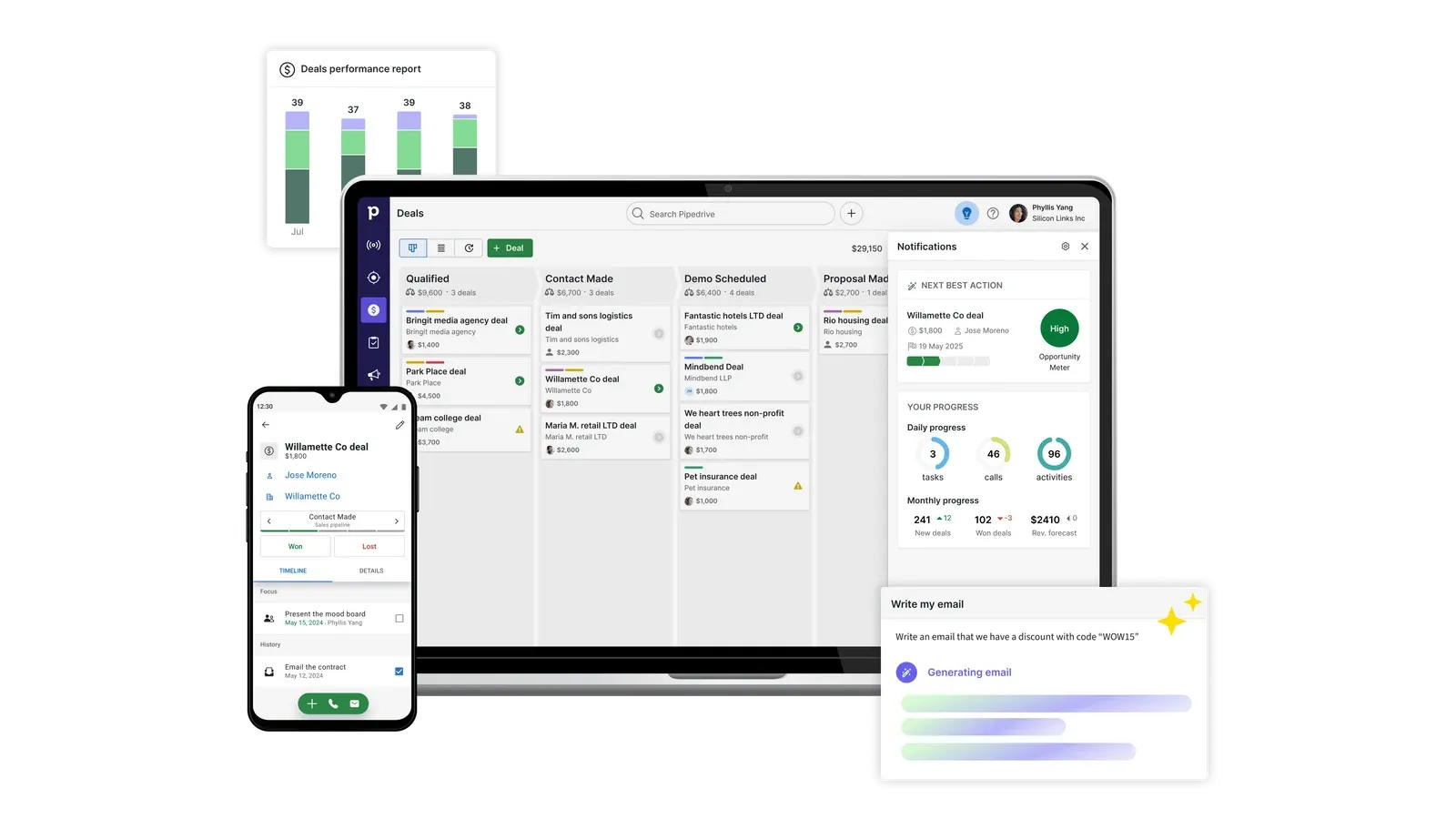
Pipedrive product interface · Official vendor image
Pipedrive ranks first because it keeps the daily operating unit—the deal and its next activity—visible to reps and managers. Pipelines, team filters, stale-deal signals, goals, email history, automation, and forecasts support the weekly sales meeting without requiring the company to implement a broader enterprise platform.
Current official annual pricing is $14 per seat monthly for Lite, $39 for Growth, $59 for Premium, and $79 for Ultimate. Growth is the practical team baseline because it adds full email sync and tracking, automations, sequences, subscriptions, forecasts, scheduling, and contact timelines. Premium adds routing, scoring, enrichment, contracts, e-signatures, stronger fields, and permissions.
Salesforce has the higher ceiling. Pipedrive wins the broad sales-team recommendation because a straightforward B2B team can reach value faster and operate with less administration. Add-ons for lead generation, projects, campaigns, visitors, and documents can narrow the price advantage, so price the complete workflow.
For rollout, preserve the stage definitions that managers already trust, then simplify fields and automations rather than copying every legacy customization. A representative pilot should prove email synchronization, next-action compliance, ownership changes, reporting, and the weekly forecast. That keeps Pipedrive’s adoption advantage intact instead of recreating an enterprise implementation inside a focused CRM.
Implementation: easy for a conventional sales process. Best for: a sales leader running one or several focused pipelines. Skip this if: complex territories, business units, approvals, or cross-functional lifecycle management dominate. Key tradeoff: faster execution with a lower governance ceiling. Final verdict: choose Pipedrive when sales discipline matters more than enterprise breadth.
Key tradeoff: Useful sales-team automation starts above Lite
Annual plan prices
Lite $14, Growth $39, Premium $59, Ultimate $79 per seat/month · SourceChecked July 28, 2026
Annual payments
$168, $468, $708, and $948 per seat/year respectively · SourceChecked July 28, 2026
Trial
14 days with no credit card required · SourceChecked July 28, 2026
Salesforce has the strongest ceiling here, but a sales team should expect the practical plan to cost far more than the $25 Starter headline once it needs forecasting and advanced controls.
Best forcomplex governance and territoriesStarting price$25/user/month for Starter SuiteLast verified July 26, 2026Editorial callBest for complex or multi-team sales operations
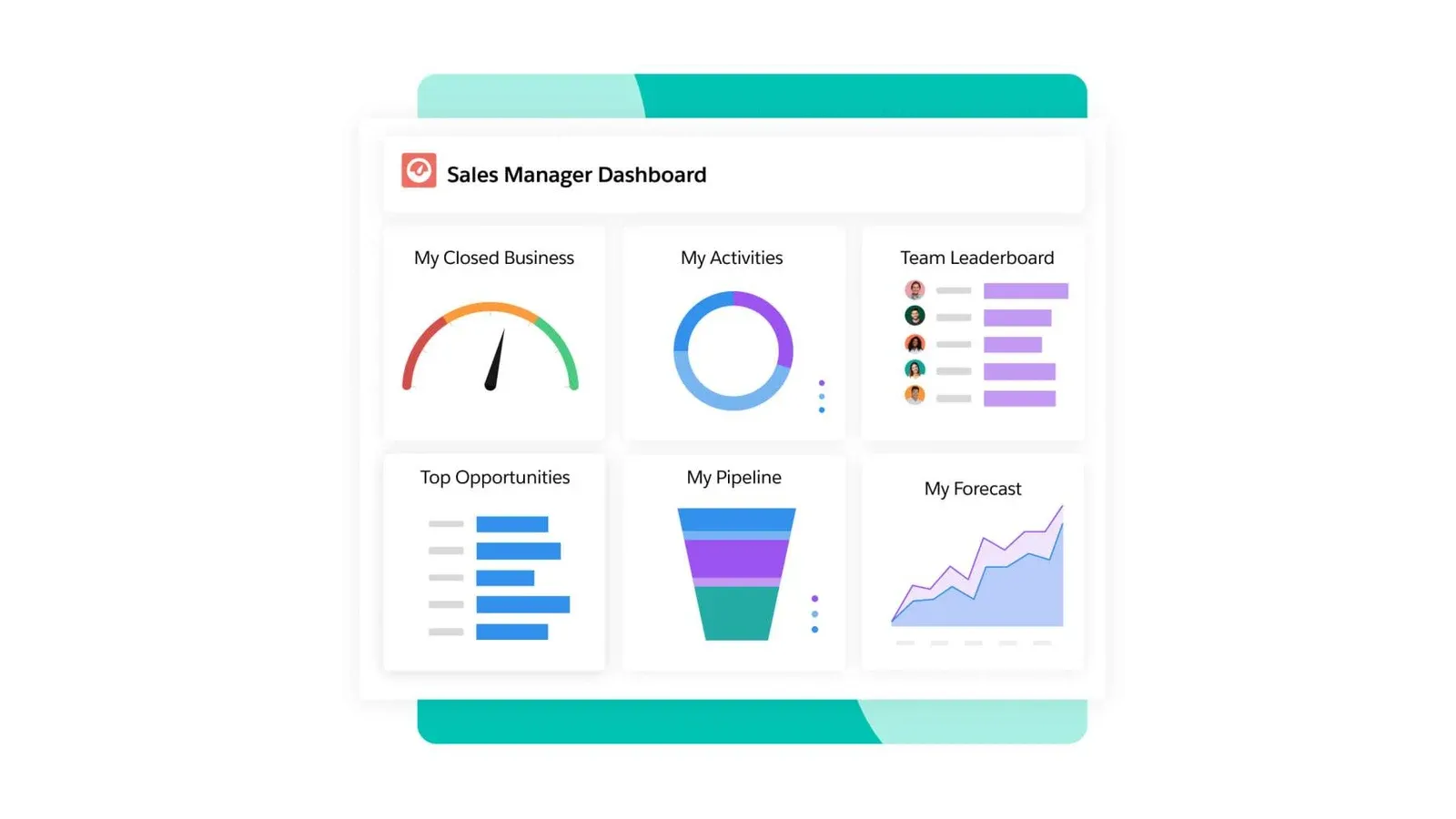
Salesforce Sales Cloud product interface · Official vendor image
Salesforce is the stronger operating system for complex sales organizations. It supports lead assignment, multiple processes, opportunity teams, forecasts, territories, advanced reporting, pipeline inspection, deal intelligence, integrations, and extensive customization across regions or product lines.
Starter Suite is $25 per user monthly. Pro is $100 billed annually and adds greater automation, customization, quoting, and forecasting; Enterprise is $175 and adds advanced pipeline management, deal insights, conversation intelligence, and more AI capability. The correct comparison begins with the lowest edition that runs the real process, not the Starter headline.
Salesforce ranks second because many dedicated sales teams do not need its entire operating surface. The order reverses when governance, territories, integrations, approval paths, or multi-team reporting are non-negotiable. Include implementation, administration, support, AI, and adjacent products in the cost model.
A credible deployment needs an accountable process owner, a data model, migration rules, integration testing, permission design, reporting definitions, training, and post-launch administration. Those are not merely consulting extras; they determine whether Salesforce becomes a truthful operating system or an expensive collection of fields. The platform earns its complexity only when the organization will govern it.
Implementation: advanced. Best for: multi-team sales operations with a revenue-operations owner. Skip this if: nobody owns CRM administration or one pipeline covers the process. Key tradeoff: unmatched control with more cost and operational overhead. Final verdict: choose Salesforce when complexity is real today, not hypothetical.
Key tradeoff: Forecasting and meaningful customization push buyers above Starter

Starting price
$25/user/month for Starter Suite · SourceChecked July 26, 2026
Key plan limit
Pro is $100/user/month annually; Enterprise is $175; Unlimited is $350. · SourceChecked July 26, 2026
Close is the strongest specialist for outbound execution. Essentials centralizes communication, but Growth is the real automation tier and costs $99 per user monthly on annual billing.
Best forhigh-volume outbound communicationStarting price$35/user/month billed annually for EssentialsLast verified July 26, 2026Editorial callBest for outbound sales teams
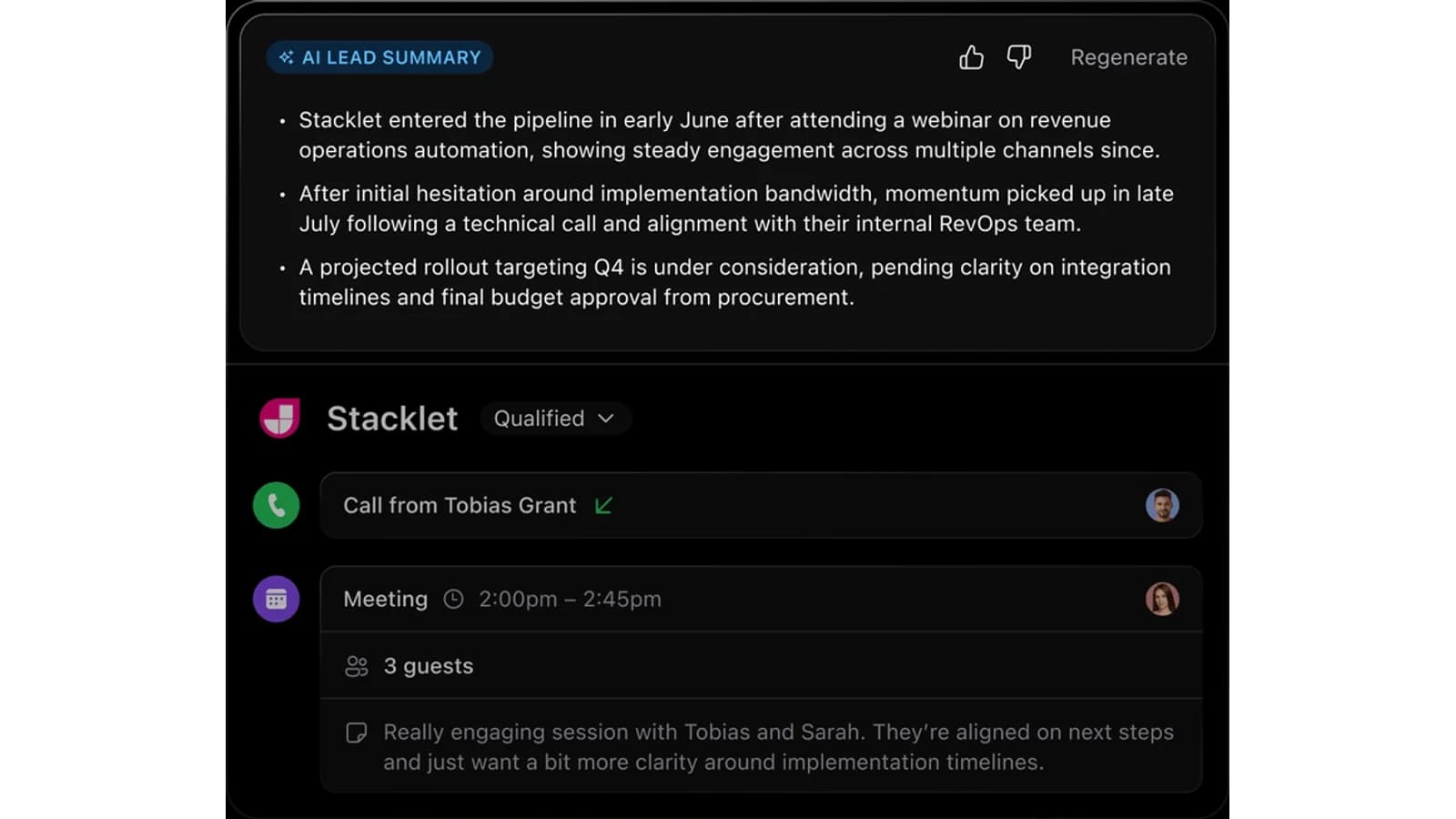
Close product interface · Official vendor image
Close turns the CRM into the communication workspace by combining email, calling, SMS, tasks, inbox, contacts, leads, and opportunities. That coherence matters when managers measure activity, response, follow-up, call execution, and pipeline conversion together.
Essentials starts at $35 per user monthly billed annually and includes team collaboration and communications but no workflows. Growth is $99 and adds automated workflows, power dialing, custom activities, and bulk email. Scale is $139 and adds roles, visibility rules, predictive dialing, longer recording retention, and coaching.
Calling, numbers, SMS, and extra AI can add usage charges. Close is economical when it replaces a general CRM, dialer, and sequencing stack; it is expensive when outbound is not the operating model. The team should already have lists, messaging, ownership, and a daily prospecting cadence.
Migration planning should include phone-number setup, call consent and recording rules, mailbox configuration, sequence ownership, opt-out handling, historical activities, and reporting continuity. A short pilot can reach value quickly when those inputs exist. If the current problem is weak messaging or poor lead quality, replacing the CRM will mostly make ineffective outreach happen faster.
Implementation: moderate. Best for: phone-, email-, and SMS-heavy outbound teams. Skip this if: account hierarchies or lifecycle management matter more than communications. Key tradeoff: consolidated execution at specialist pricing. Final verdict: choose Close when reps live in outbound channels all day.
Key tradeoff: Automated workflows require the expensive Growth tier

Starting price
$35/user/month billed annually for Essentials · SourceChecked July 26, 2026
Key plan limit
Growth is $99 annually ($109 monthly); Scale is $139 annually ($149 monthly). Workflows and power dialer start on Growth. · SourceChecked July 26, 2026
04
Best value for built-in communication and automation
Freshsales offers the clearest value ladder here: $9 Growth covers the working basics, while $39 Pro adds the scoring, sequences, territories, and deal insight most managed teams eventually request.

Best forlower-cost communication and automationStarting price$9/user/month billed annually for GrowthLast verified July 26, 2026Editorial callBest value for built-in communication and automation
Freshsales product interface · Official vendor image
Freshsales combines pipeline management with chat, email, phone, lifecycle stages, templates, fields, and basic workflows. Growth costs $9 per user monthly billed annually, making it the lowest verified paid team entry here; the free plan supports up to three users.
Pro costs $39 annually and adds scoring, deal insights, custom activities, territories, and sequences. Enterprise costs $59 and adds forecasting insights, field permissions, custom modules, a sandbox, and audit logs. Branded documents and some Freddy AI usage are separate add-ons.
The upgrade is the main buying decision. Growth is a credible operating plan for a small team, but common manager requests push the account to Pro. Map scoring, sequences, routing, territory, and reporting requirements before choosing on the $9 headline.
Time-to-value should be measured on the actual communication workflow: connect representative mailboxes, route leads, place a call, trigger a workflow, and run the manager view. That test also exposes which requirements belong to Pro and which add-ons create separate cost. A low entry price is useful only if the working team can remain on that edition.
Implementation: easy to moderate. Best for: a cost-conscious small or midsize team wanting communications and CRM together. Skip this if: deep enterprise governance is required. Key tradeoff: strong entry value followed by a meaningful Pro jump. Final verdict: choose Freshsales when integrated communication and cost matter equally.
Key tradeoff: Managed-team features jump from $9 Growth to $39 Pro
Annual paid prices
Growth $9, Pro $39, Enterprise $59 per user/month · SourceChecked July 28, 2026
Free plan
Free for up to 3 users · SourceChecked July 28, 2026
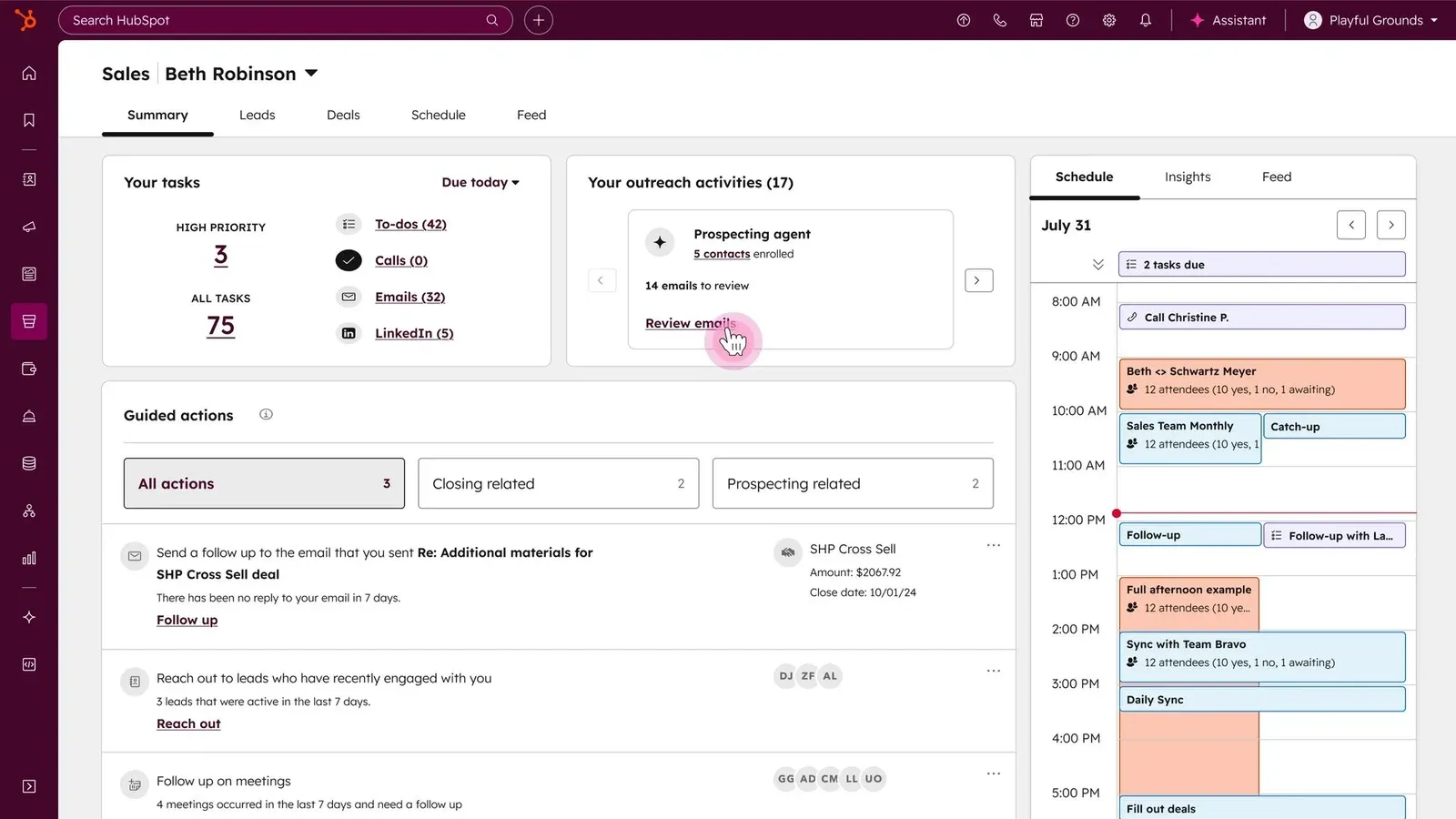
HubSpot is the best cross-functional foundation and can start free. It ranks lower for a sales-only buyer because the exact premium configuration, seats, Hubs, onboarding, and credits need active modeling.
Best forshared marketing and service dataStarting price$0 free CRMLast verified July 26, 2026Editorial callBest for a cross-functional customer platform
HubSpot Smart CRM product interface · Official vendor image
HubSpot is strongest when sales shares the customer record with marketing and service. Forms, campaigns, sales activity, support interactions, content, and operations can build on the same CRM, beginning with a free product.
The buying challenge is future configuration. Price the intended sales seats, automation, sequences, reporting, Hubs, onboarding, contact tiers, and HubSpot Credits in the current tool. Free entry is real, but there is no single headline amount that represents every paid cross-functional setup.
HubSpot ranks lower for a sales-only buyer because Pipedrive is more focused and easier to price. It moves higher when demand generation, service, and lifecycle reporting must operate on one platform. The broader value proposition can justify the procurement work, but only if those functions will use it.
Migration complexity depends less on contact import than on the number of teams and Hubs sharing the record. Define lifecycle stages, marketing-contact rules, sales ownership, service handoffs, permissions, and reporting before enabling automation. A staged rollout can deliver free-CRM value quickly while preventing an accidental paid architecture from growing without an owner.
Implementation: easy free start, moderate to advanced for a multi-Hub rollout. Best for: sales organizations sharing data with marketing and service. Skip this if: a narrow sales system and simple paid ladder are priorities. Key tradeoff: cross-functional breadth complicates future cost. Final verdict: choose HubSpot when the shared customer platform is the goal.
Key tradeoff: Paid pricing cannot be reduced to one trustworthy headline in this fetch

Free CRM
Ongoing free CRM available · SourceChecked July 28, 2026
Paid configuration
Price varies by selected Hubs, seats, onboarding, contacts, and credits · SourceChecked July 28, 2026
Zoho combines a capable three-user free edition with a deep paid feature ladder. It is a strong budget alternative, but the edition matrix and localized pricing make procurement less clean.
Best forlow-cost deep customizationStarting priceFree for 3 users; Standard $14/user/month annuallyLast verified July 28, 2026Editorial callBest for budget-conscious customization
Zoho CRM product interface · Official vendor image
Zoho CRM provides a capable free edition for up to three users, including leads, deals, workflows, reports, mobile apps, tasks, calls, imports, exports, reminders, templates, and API access. Confirmed U.S. annual prices are $14 for Standard, $23 for Professional, $40 for Enterprise, and $52 for Ultimate per user monthly.
Standard adds email integration, calling, multiple pipelines, forms, forecasts, enrichment, and custom modules. Professional adds process and inventory management. Enterprise adds territories, approval processes, sandboxing, custom functions, portals, and deeper AI capability.
The feature runway is broad, but so is the edition matrix. Teams should map required workflow, reporting, storage, integration, and governance features to a tier before setup. Zoho can control subscription spend, yet procurement and administration demand more ownership than Pipedrive or Freshsales.
A phased deployment should begin with one pipeline, clean ownership, required fields, email integration, and the reports used in the weekly meeting. Add custom modules, territories, approvals, portals, or broader Zoho products only after the core data stays reliable. This approach reduces the risk that low subscription cost is offset by an overbuilt configuration nobody maintains.
Implementation: moderate to advanced. Best for: teams willing to configure a broad CRM on a controlled budget. Skip this if: a simple ladder and minimal administration matter most. Key tradeoff: low entry cost with high configuration choice. Final verdict: choose Zoho when customization capacity is worth the setup burden.
Standard $14, Professional $23, Enterprise $40, Ultimate $52 per user/month · SourceChecked July 28, 2026
Disclosure: WireRanked may earn a commission if you buy through links on our site. Affiliate relationships do not determine our rankings.
Pipedrive is the best CRM for most dedicated sales teams because it concentrates on visible pipeline execution, next actions, email follow-up, automation, and forecasting without making the team adopt an enterprise operating system. Salesforce is more powerful and should rank first for complex territories, multiple business units, deep governance, or extensive customization—but that broader surface adds cost, administration, and implementation work many sales teams do not need.
This ranking targets an established sales function rather than founder-led selling or a company choosing one platform for every department. It is official-source desk research, not hands-on testing. We compared rep workflow, manager control, implementation complexity, communications, automation, forecasting, limits, and current pricing.
The shortlist
Ranked picks
Pipedrive leads for focused execution and faster adoption. Salesforce leads when sales is part of a complex enterprise operating model. The remaining picks serve outbound, value, cross-functional, and configuration-heavy teams.
Pipedrive puts the rep’s pipeline and next activity at the center. Growth is the practical team baseline, while Premium adds routing, scoring, contracts, and tighter controls.
Salesforce has the strongest ceiling here, but a sales team should expect the practical plan to cost far more than the $25 Starter headline once it needs forecasting and advanced controls.
Close is the strongest specialist for outbound execution. Essentials centralizes communication, but Growth is the real automation tier and costs $99 per user monthly on annual billing.
Freshsales offers the clearest value ladder here: $9 Growth covers the working basics, while $39 Pro adds the scoring, sequences, territories, and deal insight most managed teams eventually request.
HubSpot is the best cross-functional foundation and can start free. It ranks lower for a sales-only buyer because the exact premium configuration, seats, Hubs, onboarding, and credits need active modeling.
Zoho combines a capable three-user free edition with a deep paid feature ladder. It is a strong budget alternative, but the edition matrix and localized pricing make procurement less clean.
Pipedrive puts the rep’s pipeline and next activity at the center. Growth is the practical team baseline, while Premium adds routing, scoring, contracts, and tighter controls.
Best forfocused pipeline executionStarting price$14/seat/month billed annually for LiteLast verified July 28, 2026Editorial callBest overall for a focused sales team
Pipedrive product interface · Official vendor image
Pipedrive ranks first because it keeps the daily operating unit—the deal and its next activity—visible to reps and managers. Pipelines, team filters, stale-deal signals, goals, email history, automation, and forecasts support the weekly sales meeting without requiring the company to implement a broader enterprise platform.
Current official annual pricing is $14 per seat monthly for Lite, $39 for Growth, $59 for Premium, and $79 for Ultimate. Growth is the practical team baseline because it adds full email sync and tracking, automations, sequences, subscriptions, forecasts, scheduling, and contact timelines. Premium adds routing, scoring, enrichment, contracts, e-signatures, stronger fields, and permissions.
Salesforce has the higher ceiling. Pipedrive wins the broad sales-team recommendation because a straightforward B2B team can reach value faster and operate with less administration. Add-ons for lead generation, projects, campaigns, visitors, and documents can narrow the price advantage, so price the complete workflow.
For rollout, preserve the stage definitions that managers already trust, then simplify fields and automations rather than copying every legacy customization. A representative pilot should prove email synchronization, next-action compliance, ownership changes, reporting, and the weekly forecast. That keeps Pipedrive’s adoption advantage intact instead of recreating an enterprise implementation inside a focused CRM.
Implementation: easy for a conventional sales process. Best for: a sales leader running one or several focused pipelines. Skip this if: complex territories, business units, approvals, or cross-functional lifecycle management dominate. Key tradeoff: faster execution with a lower governance ceiling. Final verdict: choose Pipedrive when sales discipline matters more than enterprise breadth.
Key tradeoff: Useful sales-team automation starts above Lite
Annual plan prices
Lite $14, Growth $39, Premium $59, Ultimate $79 per seat/month · SourceChecked July 28, 2026
Annual payments
$168, $468, $708, and $948 per seat/year respectively · SourceChecked July 28, 2026
Trial
14 days with no credit card required · SourceChecked July 28, 2026
Salesforce has the strongest ceiling here, but a sales team should expect the practical plan to cost far more than the $25 Starter headline once it needs forecasting and advanced controls.
Best forcomplex governance and territoriesStarting price$25/user/month for Starter SuiteLast verified July 26, 2026Editorial callBest for complex or multi-team sales operations
Salesforce Sales Cloud product interface · Official vendor image
Salesforce is the stronger operating system for complex sales organizations. It supports lead assignment, multiple processes, opportunity teams, forecasts, territories, advanced reporting, pipeline inspection, deal intelligence, integrations, and extensive customization across regions or product lines.
Starter Suite is $25 per user monthly. Pro is $100 billed annually and adds greater automation, customization, quoting, and forecasting; Enterprise is $175 and adds advanced pipeline management, deal insights, conversation intelligence, and more AI capability. The correct comparison begins with the lowest edition that runs the real process, not the Starter headline.
Salesforce ranks second because many dedicated sales teams do not need its entire operating surface. The order reverses when governance, territories, integrations, approval paths, or multi-team reporting are non-negotiable. Include implementation, administration, support, AI, and adjacent products in the cost model.
A credible deployment needs an accountable process owner, a data model, migration rules, integration testing, permission design, reporting definitions, training, and post-launch administration. Those are not merely consulting extras; they determine whether Salesforce becomes a truthful operating system or an expensive collection of fields. The platform earns its complexity only when the organization will govern it.
Implementation: advanced. Best for: multi-team sales operations with a revenue-operations owner. Skip this if: nobody owns CRM administration or one pipeline covers the process. Key tradeoff: unmatched control with more cost and operational overhead. Final verdict: choose Salesforce when complexity is real today, not hypothetical.
Key tradeoff: Forecasting and meaningful customization push buyers above Starter
Starting price
$25/user/month for Starter Suite · SourceChecked July 26, 2026
Key plan limit
Pro is $100/user/month annually; Enterprise is $175; Unlimited is $350. · SourceChecked July 26, 2026
Close is the strongest specialist for outbound execution. Essentials centralizes communication, but Growth is the real automation tier and costs $99 per user monthly on annual billing.
Best forhigh-volume outbound communicationStarting price$35/user/month billed annually for EssentialsLast verified July 26, 2026Editorial callBest for outbound sales teams
Close product interface · Official vendor image
Close turns the CRM into the communication workspace by combining email, calling, SMS, tasks, inbox, contacts, leads, and opportunities. That coherence matters when managers measure activity, response, follow-up, call execution, and pipeline conversion together.
Essentials starts at $35 per user monthly billed annually and includes team collaboration and communications but no workflows. Growth is $99 and adds automated workflows, power dialing, custom activities, and bulk email. Scale is $139 and adds roles, visibility rules, predictive dialing, longer recording retention, and coaching.
Calling, numbers, SMS, and extra AI can add usage charges. Close is economical when it replaces a general CRM, dialer, and sequencing stack; it is expensive when outbound is not the operating model. The team should already have lists, messaging, ownership, and a daily prospecting cadence.
Migration planning should include phone-number setup, call consent and recording rules, mailbox configuration, sequence ownership, opt-out handling, historical activities, and reporting continuity. A short pilot can reach value quickly when those inputs exist. If the current problem is weak messaging or poor lead quality, replacing the CRM will mostly make ineffective outreach happen faster.
Implementation: moderate. Best for: phone-, email-, and SMS-heavy outbound teams. Skip this if: account hierarchies or lifecycle management matter more than communications. Key tradeoff: consolidated execution at specialist pricing. Final verdict: choose Close when reps live in outbound channels all day.
Key tradeoff: Automated workflows require the expensive Growth tier
Starting price
$35/user/month billed annually for Essentials · SourceChecked July 26, 2026
Key plan limit
Growth is $99 annually ($109 monthly); Scale is $139 annually ($149 monthly). Workflows and power dialer start on Growth. · SourceChecked July 26, 2026
04
Best value for built-in communication and automation
Freshsales offers the clearest value ladder here: $9 Growth covers the working basics, while $39 Pro adds the scoring, sequences, territories, and deal insight most managed teams eventually request.
Best forlower-cost communication and automationStarting price$9/user/month billed annually for GrowthLast verified July 26, 2026Editorial callBest value for built-in communication and automation
Freshsales product interface · Official vendor image
Freshsales combines pipeline management with chat, email, phone, lifecycle stages, templates, fields, and basic workflows. Growth costs $9 per user monthly billed annually, making it the lowest verified paid team entry here; the free plan supports up to three users.
Pro costs $39 annually and adds scoring, deal insights, custom activities, territories, and sequences. Enterprise costs $59 and adds forecasting insights, field permissions, custom modules, a sandbox, and audit logs. Branded documents and some Freddy AI usage are separate add-ons.
The upgrade is the main buying decision. Growth is a credible operating plan for a small team, but common manager requests push the account to Pro. Map scoring, sequences, routing, territory, and reporting requirements before choosing on the $9 headline.
Time-to-value should be measured on the actual communication workflow: connect representative mailboxes, route leads, place a call, trigger a workflow, and run the manager view. That test also exposes which requirements belong to Pro and which add-ons create separate cost. A low entry price is useful only if the working team can remain on that edition.
Implementation: easy to moderate. Best for: a cost-conscious small or midsize team wanting communications and CRM together. Skip this if: deep enterprise governance is required. Key tradeoff: strong entry value followed by a meaningful Pro jump. Final verdict: choose Freshsales when integrated communication and cost matter equally.
Key tradeoff: Managed-team features jump from $9 Growth to $39 Pro
Annual paid prices
Growth $9, Pro $39, Enterprise $59 per user/month · SourceChecked July 28, 2026
Free plan
Free for up to 3 users · SourceChecked July 28, 2026
HubSpot is the best cross-functional foundation and can start free. It ranks lower for a sales-only buyer because the exact premium configuration, seats, Hubs, onboarding, and credits need active modeling.
Best forshared marketing and service dataStarting price$0 free CRMLast verified July 26, 2026Editorial callBest for a cross-functional customer platform
HubSpot Smart CRM product interface · Official vendor image
HubSpot is strongest when sales shares the customer record with marketing and service. Forms, campaigns, sales activity, support interactions, content, and operations can build on the same CRM, beginning with a free product.
The buying challenge is future configuration. Price the intended sales seats, automation, sequences, reporting, Hubs, onboarding, contact tiers, and HubSpot Credits in the current tool. Free entry is real, but there is no single headline amount that represents every paid cross-functional setup.
HubSpot ranks lower for a sales-only buyer because Pipedrive is more focused and easier to price. It moves higher when demand generation, service, and lifecycle reporting must operate on one platform. The broader value proposition can justify the procurement work, but only if those functions will use it.
Migration complexity depends less on contact import than on the number of teams and Hubs sharing the record. Define lifecycle stages, marketing-contact rules, sales ownership, service handoffs, permissions, and reporting before enabling automation. A staged rollout can deliver free-CRM value quickly while preventing an accidental paid architecture from growing without an owner.
Implementation: easy free start, moderate to advanced for a multi-Hub rollout. Best for: sales organizations sharing data with marketing and service. Skip this if: a narrow sales system and simple paid ladder are priorities. Key tradeoff: cross-functional breadth complicates future cost. Final verdict: choose HubSpot when the shared customer platform is the goal.
Key tradeoff: Paid pricing cannot be reduced to one trustworthy headline in this fetch
Free CRM
Ongoing free CRM available · SourceChecked July 28, 2026
Paid configuration
Price varies by selected Hubs, seats, onboarding, contacts, and credits · SourceChecked July 28, 2026
Zoho combines a capable three-user free edition with a deep paid feature ladder. It is a strong budget alternative, but the edition matrix and localized pricing make procurement less clean.
Best forlow-cost deep customizationStarting priceFree for 3 users; Standard $14/user/month annuallyLast verified July 28, 2026Editorial callBest for budget-conscious customization
Zoho CRM product interface · Official vendor image
Zoho CRM provides a capable free edition for up to three users, including leads, deals, workflows, reports, mobile apps, tasks, calls, imports, exports, reminders, templates, and API access. Confirmed U.S. annual prices are $14 for Standard, $23 for Professional, $40 for Enterprise, and $52 for Ultimate per user monthly.
Standard adds email integration, calling, multiple pipelines, forms, forecasts, enrichment, and custom modules. Professional adds process and inventory management. Enterprise adds territories, approval processes, sandboxing, custom functions, portals, and deeper AI capability.
The feature runway is broad, but so is the edition matrix. Teams should map required workflow, reporting, storage, integration, and governance features to a tier before setup. Zoho can control subscription spend, yet procurement and administration demand more ownership than Pipedrive or Freshsales.
A phased deployment should begin with one pipeline, clean ownership, required fields, email integration, and the reports used in the weekly meeting. Add custom modules, territories, approvals, portals, or broader Zoho products only after the core data stays reliable. This approach reduces the risk that low subscription cost is offset by an overbuilt configuration nobody maintains.
Implementation: moderate to advanced. Best for: teams willing to configure a broad CRM on a controlled budget. Skip this if: a simple ladder and minimal administration matter most. Key tradeoff: low entry cost with high configuration choice. Final verdict: choose Zoho when customization capacity is worth the setup burden.
Standard $14, Professional $23, Enterprise $40, Ultimate $52 per user/month · SourceChecked July 28, 2026
How to choose CRM software for a sales team
Buying criteria and research
How the WireRank Score works
WireRank methodology v1.0 scores each product from 0 to 10 using current primary-source evidence.
Use-case fit (30%) — How directly the product solves the article’s target workflow.
Ease of setup and use (20%) — Time to value, administration burden, and day-to-day usability.
Price and total value (20%) — Verified cost, plan limits, required seats, add-ons, and value for the target buyer.
Core capability depth (15%) — Breadth and quality of the functions that matter for the ranked use case.
Integrations and scalability (10%) — Ecosystem fit, data portability, automation, and room to grow.
Support and buyer risk (5%) — Support access, contract friction, security signals, and material limitations.
Write the operating model first
Map lead intake, acceptance, stages, advancement evidence, ownership changes, approvals, forecasts, and post-sale handoffs. A generic feature list cannot replace the actual sales process.
Price the first usable plan
Include annual prepayment, implementation, calling, AI, documents, enrichment, storage, support, and add-ons. Entry prices matter only when that edition runs the complete workflow.
Score reps and managers separately
Reps need a clear queue, reliable activity history, and fast updates. Managers need definitions, stage age, coverage, forecast categories, permissions, and auditability. Identify who owns data quality after launch.
Run an acceptance test
Import representative records, route a lead, complete a sequence, transfer ownership, generate the weekly forecast, enforce permissions, connect required tools, and export every important object. These are buyer validation steps, not tests performed for this article.
Which sales teams should not replace their CRM?
Keep the current CRM when the main problem is an undefined process, weak management cadence, poor data ownership, or inconsistent rep behavior rather than a product limitation. Migration rarely fixes those issues. Stay put when the existing system supports the required workflow and the expected gain does not exceed implementation, retraining, integration, and data-cleanup costs.
How we chose the best CRM for sales teams
We reviewed official vendor pricing, product, documentation, and partner pages through July 28, 2026. Pipedrive’s live official page now confirms Lite at $14, Growth at $39, Premium at $59, and Ultimate at $79 per seat/month billed annually.
This was desk research only; we did not install products or claim performance from use. Rankings do not consider affiliate payout. Prices and negotiated terms can change, so buyers should confirm their exact seats, billing cycle, add-ons, and implementation scope.
Related research
Continue your CRM research
Use these narrower WireRanked guides when your sales-team decision is actually a startup-stage or Pipedrive-versus-HubSpot question.
Choose Pipedrive for focused execution, Salesforce for complex governance, Close for outbound communications, Freshsales for value, HubSpot for cross-functional customer data, or Zoho for budget-conscious customization.
Top pick:Pipedrive for focused pipeline execution.
Do not migrate if process discipline and data ownership—not the current CRM—are the real constraints, or if the expected gain cannot justify deployment and retraining costs.
Pipedrive is our top overall pick for a focused B2B sales team because its pipeline, activities, email sync, automation, sequences, and forecasts form a coherent rep workflow. Salesforce is stronger for complex territories and governance, while Close is better when outbound calling and messaging dominate the day. The right answer depends on process complexity, not brand size.
What CRM features do sales teams need?
Start with accounts and contacts, configurable deal stages, required next actions, email and calendar sync, activity history, ownership rules, automation, forecasting, permissions, reporting, integrations, mobile access, and complete exports. Add sequences, scoring, territories, quoting, and conversation intelligence only when a documented sales process needs them. More features without governance usually create more incomplete data.
Is Pipedrive or Salesforce better for sales teams?
Pipedrive is usually the better fit for a small or midsize team that wants fast pipeline adoption and predictable per-seat tiers. Salesforce is stronger when the organization needs territories, advanced permissions, complex workflows, broader analytics, or a long customization runway. Compare Pipedrive Growth or Premium against the Salesforce edition that supports forecasting and governance—not against Starter alone.
Is HubSpot a good CRM for a sales team?
Yes, especially when marketing, sales, and service need one customer record. HubSpot can start with a free CRM and expand through paid products. A sales-only team should model the exact seats, automation, reporting, onboarding, contacts, Hubs, and HubSpot Credits before committing, because the current dynamic pricing experience does not reduce the premium setup to one reliable headline.
How much does a CRM cost for a sales team?
Verified annual entry prices in this comparison range from free to $35 per user per month for team-relevant starting editions, but the practical tier can be much higher. Pipedrive automation starts on Growth, Freshsales sequences start on Pro, Close workflows start on Growth, and Salesforce forecasting moves above Starter. Include implementation, add-ons, calling, AI, storage, and annual prepayment.
What is the best CRM for an outbound sales team?
Close is the strongest outbound specialist in this list because it combines pipeline records with email, calling, SMS, inbox, tasks, workflows, power dialing, and coaching. The tradeoff is price: workflows and power dialer require Growth at $99 per user per month billed annually. Freshsales and Pipedrive are better value when outbound calling is only one part of the process.
How should a sales team evaluate CRM software?
Document stages, required fields, assignment rules, manager reports, integrations, permissions, and exports first. Then use representative records to run lead capture, routing, follow-up, stage changes, forecasting, and a complete export. This article is research-based and does not report hands-on product testing; the team’s own acceptance test should determine whether reps and managers can operate the process consistently.