
WireRanked may earn a commission when you click links on this page. Our recommendations are editorially reviewed, and affiliate relationships do not guarantee placement or ranking.
Best CRM for Startups (2026)
Six CRMs ranked for startups moving from founder-led selling to repeatable, cross-functional revenue operations.
By WireRanked Editorial Team · Updated August 3, 2026
Which CRM Is Best for You? Choose Your Preference.
Your Route
Salesforce Starter Suite
Best for structured revenue operations. Salesforce provides the clearest system for routing, ownership, and scale.
Six CRMs ranked for startups moving from founder-led selling to repeatable, cross-functional revenue operations.
By WireRanked Editorial Team · Updated August 3, 2026
Best overall for a scaling startup
Salesforce Starter Suite
Starter Suite is the strongest bridge from founder-led selling to structured revenue operations, but the jump from $25 Starter to $100 Pro is material.
9.5/10WireRanked score
Best forstructured revenue operations
Starter Suite is the strongest bridge from founder-led selling to structured revenue operations, but the jump from $25 Starter to $100 Pro is material.
It is the strongest overall match for the priorities evaluated in this guide. Its balance of fit, setup, value, capability, integrations, and risk puts it ahead for the broadest set of readers. For most teams, that combination creates the clearest path from evaluation to a confident decision.
Starter Suite is the strongest bridge from founder-led selling to structured revenue operations, but the jump from $25 Starter to $100 Pro is material.
Best forstructured revenue operationsStarting price$25/user/monthLast verified July 26, 2026Editorial callBest overall for a scaling startup
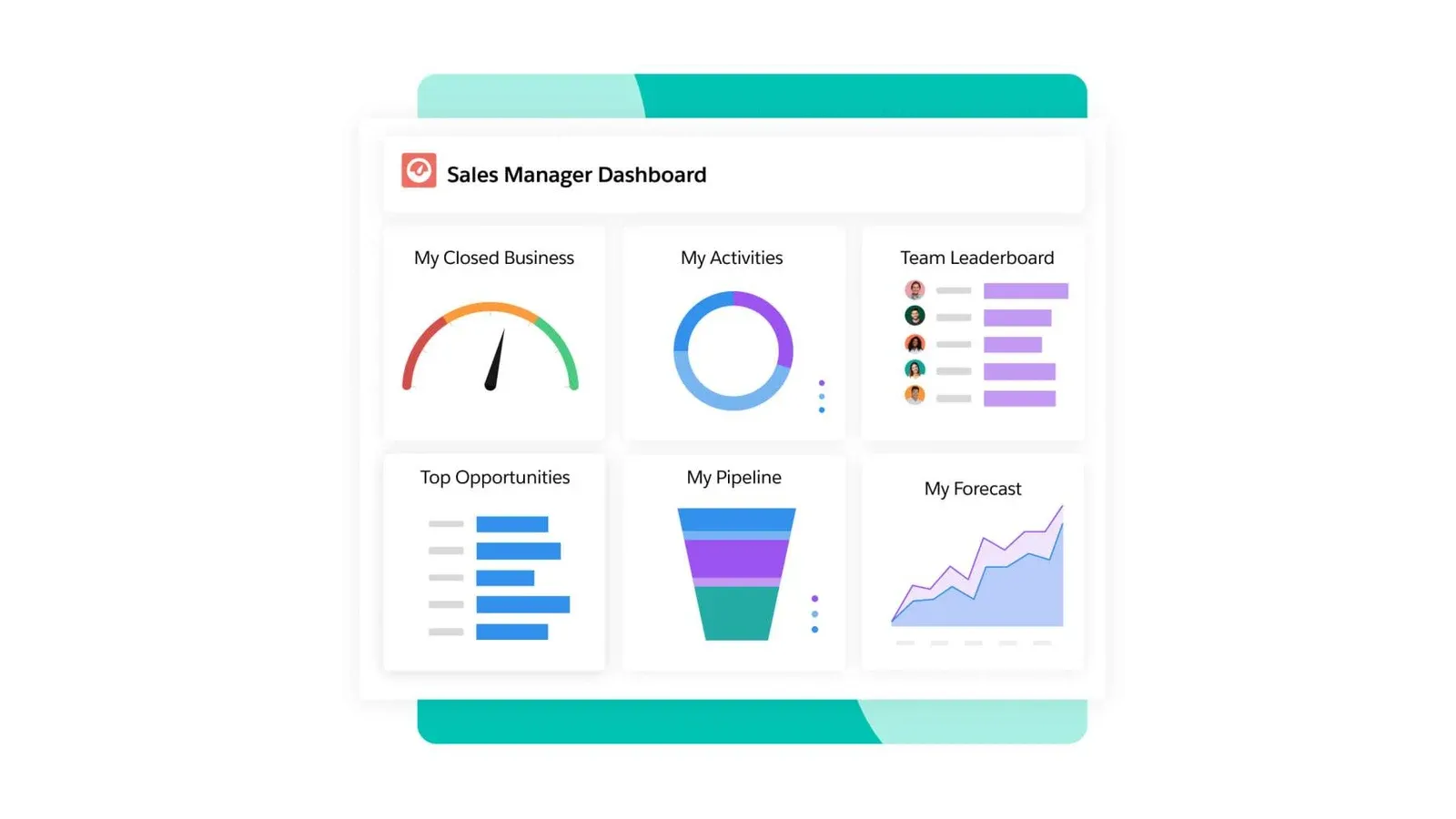
Salesforce Starter Suite product interface · Official vendor image
Salesforce Starter Suite is the strongest choice once a startup needs more than a founder’s contact manager. At $25 per user per month with monthly or annual billing, it combines lead, account, contact, and opportunity management with routing, sales flows, synchronized email and events, marketing, analytics, service, and commerce.
That breadth creates the clearest operating system for a scaling revenue team: customer data can gain structure without another migration as sales hands work to onboarding, support, and expansion. HubSpot is easier to start at $0; Salesforce wins when the company already knows it needs formal ownership and controls. Pro costs $100 per user monthly billed annually, so the upgrade must be modeled early.
Starter is most defensible when lead assignment, standardized stages, email synchronization, basic marketing, and service context must work together immediately. It is less compelling as insurance against hypothetical scale. A small team should document which Starter functions it will use in the first quarter and which concrete requirement would justify Pro before committing its process to the platform.
Adoption: moderate. Assign an operations owner, define routing and required fields, and configure only the first working process. Best for: a startup formalizing sales, marketing, and service. Skip this if: one founder still owns the entire pipeline. Key tradeoff: durable structure with a steep Pro upgrade. Final verdict: choose Salesforce when scaling discipline matters more than free entry.
Key tradeoff: Pro is four times the Starter per-user price

HubSpot provides a credible free entry and broad customer-platform runway. The drawback is procurement: model the exact premium tools, seats, and credits before standardizing.
Best fora free cross-functional startStarting price$0 free CRMLast verified July 26, 2026Editorial callBest cross-functional free starting point
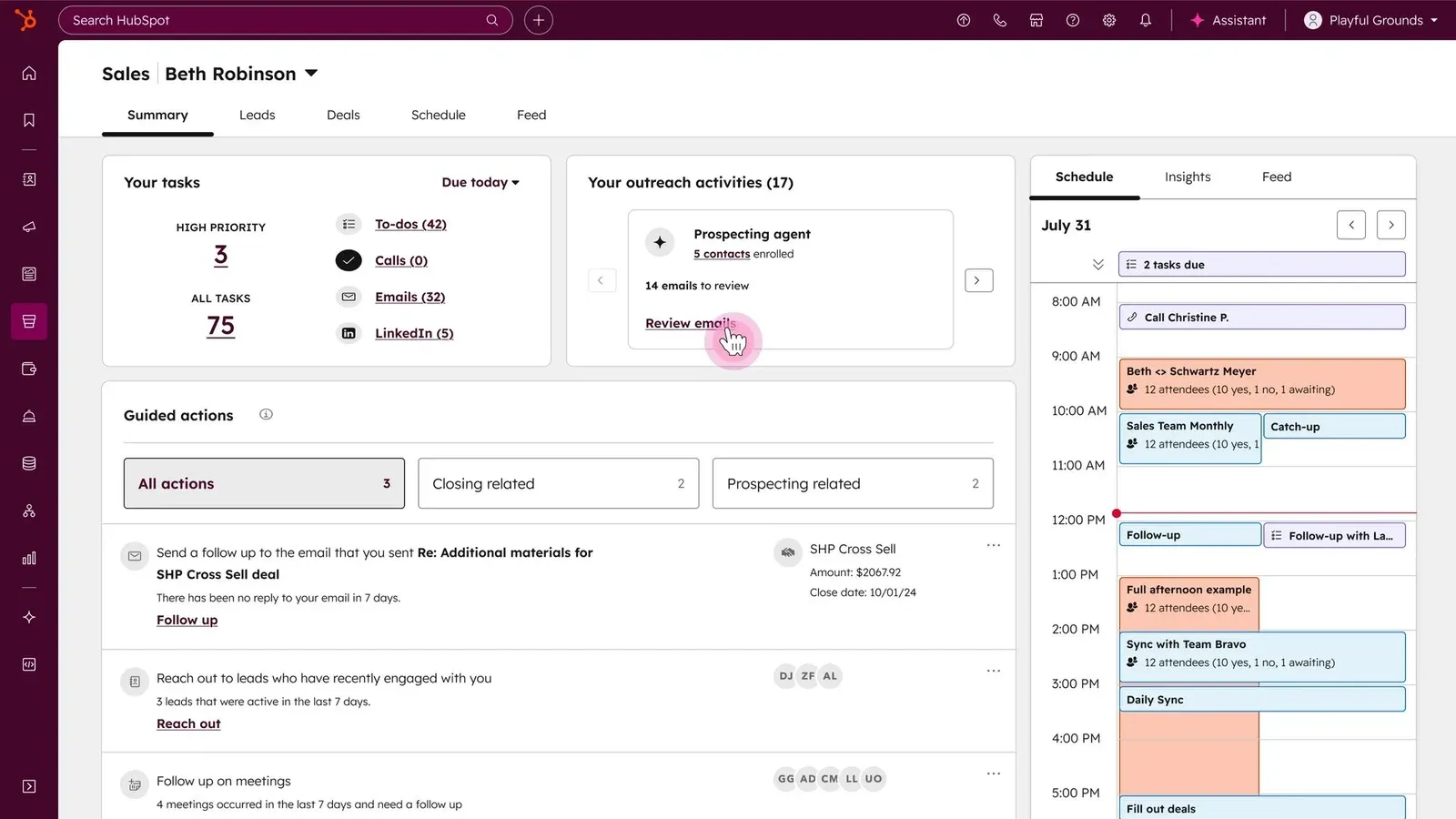
HubSpot Smart CRM product interface · Official vendor image
HubSpot is the best free starting point for a startup that wants sales, marketing, and service activity on one customer record without initial CRM subscription spend. Forms, meetings, deals, and support context can begin together, and premium tools build on the same database.
It ranks behind Salesforce because this guide targets companies entering a dedicated go-to-market stage. HubSpot can serve that company, but the paid architecture—hubs, seats, automation, reporting, onboarding, and AI credits—must be configured before its future cost is clear. Salesforce Starter presents the more explicit operating package for the transition.
The free tier still has strategic value: a startup can establish clean customer records, forms, meetings, and basic pipeline habits before procurement. The mistake is treating free adoption as proof that the eventual paid stack is economical. Model the first two paid use cases, required seats, marketing contacts, automation volume, and onboarding before data and workflows become difficult to move.
Adoption: fast at the free level, slower when designing the paid stack. Best for: a team needing a cross-functional $0 foundation. Skip this if: predictable paid packaging is essential. Key tradeoff: the lowest-friction start creates more procurement work later. Final verdict: choose HubSpot when free time-to-value outranks near-term cost certainty.
Key tradeoff: Paid packaging cannot be evaluated from one headline price

Attio fits a startup whose revenue model does not map cleanly to conventional CRM objects. The 10-seat Plus cap and $79 annual Pro price become important quickly.

Best forcustom relationship modelingStarting priceFree for up to 3 seatsLast verified July 26, 2026Editorial callBest for a flexible startup data model
Attio product interface · Official vendor image
Attio fits startups whose revenue model does not map neatly to a fixed lead-account-opportunity hierarchy. Teams can model customers, partners, investors, candidates, communities, or product-qualified accounts with custom objects and relationships, while contact sync and enrichment reduce manual upkeep.
Free supports three seats. Plus costs $35 per user monthly annually or $44 monthly and stops at 10 seats. Pro costs $79 annually or $99 monthly and adds call intelligence, sequences, permissions, and advanced reporting. The flexibility is valuable, but somebody must design the objects, required fields, ownership, and transitions.
A sensible pilot uses one real relationship model rather than recreating every spreadsheet at once. Import customers and one adjacent object, such as partners or investors, then verify views, permissions, automations, enrichment, and reporting. This reveals whether Attio’s flexibility removes a genuine constraint or merely shifts process decisions from the CRM vendor to an internal operator.
Adoption: moderate and operations-dependent. Best for: a product-minded team with a nonstandard relationship model. Skip this if: an opinionated sales process or more than 10 Plus seats is needed. Key tradeoff: model flexibility creates design work. Final verdict: choose Attio when adapting the CRM to the business is worth the setup.
Key tradeoff: Plus stops at 10 seats

Starting price
Free for up to 3 seats · SourceChecked July 26, 2026
Key plan limit
Plus is capped at 10 seats; Pro costs $79/user/month annual or $99 monthly. · SourceChecked July 26, 2026
Zoho’s three-user free edition is unusually capable, and paid tiers extend into forecasting, process management, territories, and portals. Packaging complexity is the tradeoff.
Best forfree entry plus deep configurationStarting priceFree for 3 users; Standard $14/user/month annuallyLast verified July 28, 2026Editorial callBest for budget-conscious customization
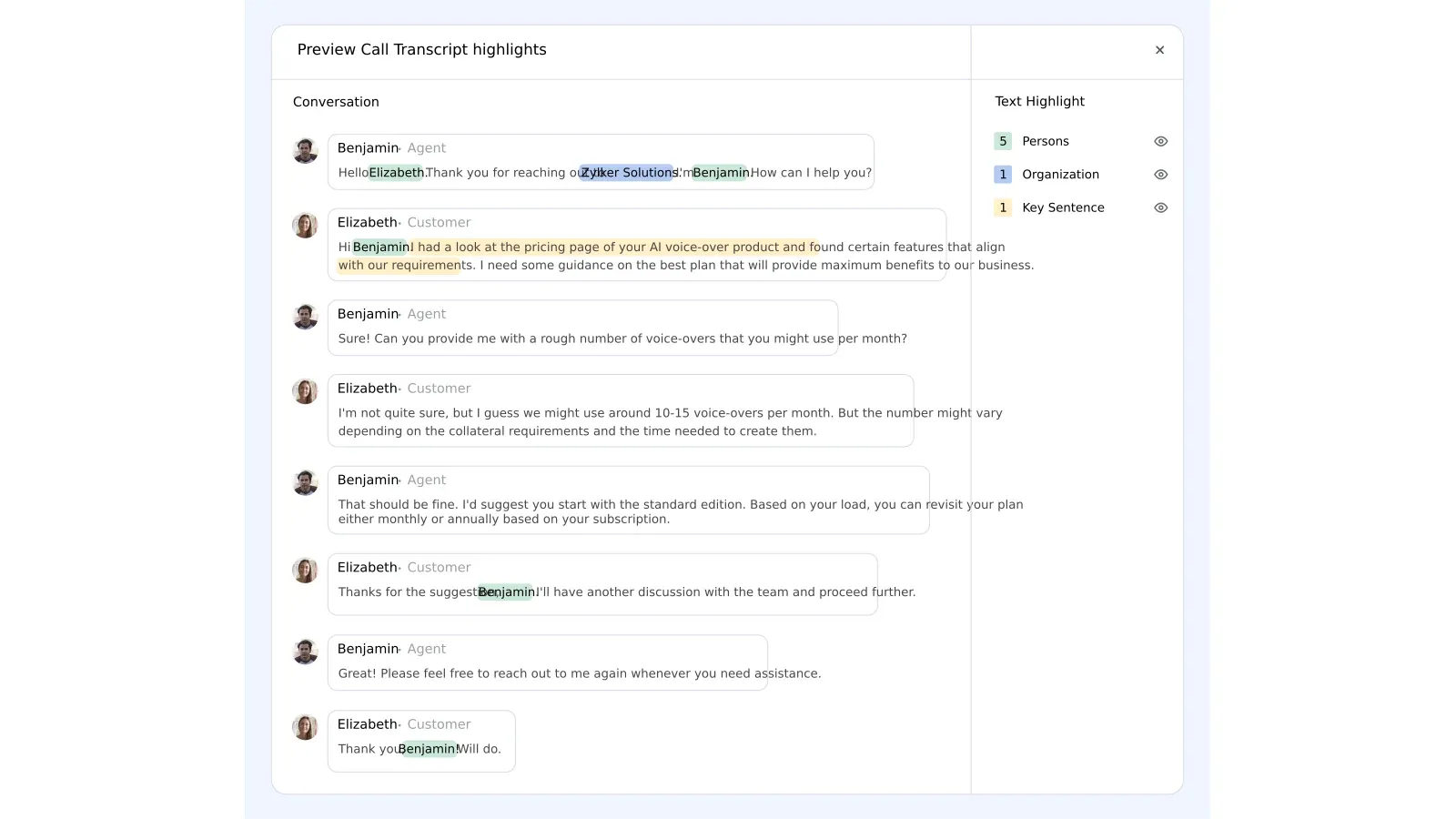
Zoho CRM product interface · Official vendor image
Zoho CRM has the strongest free customization path here: up to three users get leads, deals, workflows, reports, mobile apps, tasks, calls, imports, exports, and API access. Confirmed U.S. annual prices are $14 for Standard, $23 for Professional, $40 for Enterprise, and $52 for Ultimate per user monthly.
Standard adds multiple pipelines, calling, forms, forecasting, and automation; Professional adds process and inventory management; higher editions add territories, portals, custom functions, and more advanced controls. That runway is substantial, but the product and edition matrix asks a startup to make more configuration and procurement decisions than Salesforce Starter or HubSpot Free.
The three-user free edition is enough to validate data discipline before paying, but it should not postpone edition planning. A growing team should map each required workflow, forecast, approval, integration, and AI feature to a specific paid tier. Zoho becomes attractive when that configuration work replaces several other systems; it becomes burdensome when nobody owns administration.
Adoption: moderate to high. Best for: a budget-conscious team willing to configure its system. Skip this if: one clear package and minimal administration matter most. Key tradeoff: breadth and low entry cost versus implementation simplicity. Final verdict: choose Zoho when customization capacity is more valuable than speed.
Key tradeoff: Free plan stops at three users

Starting price
Free for up to 3 users · SourceChecked July 26, 2026
Key plan limit
Paid USD amounts are omitted because the live page localized pricing to INR. · SourceChecked July 26, 2026
Close earns its price when native communication replaces a separate dialer and sequencing stack. Teams need Growth at $99 annual for workflows, making it an expensive general CRM.
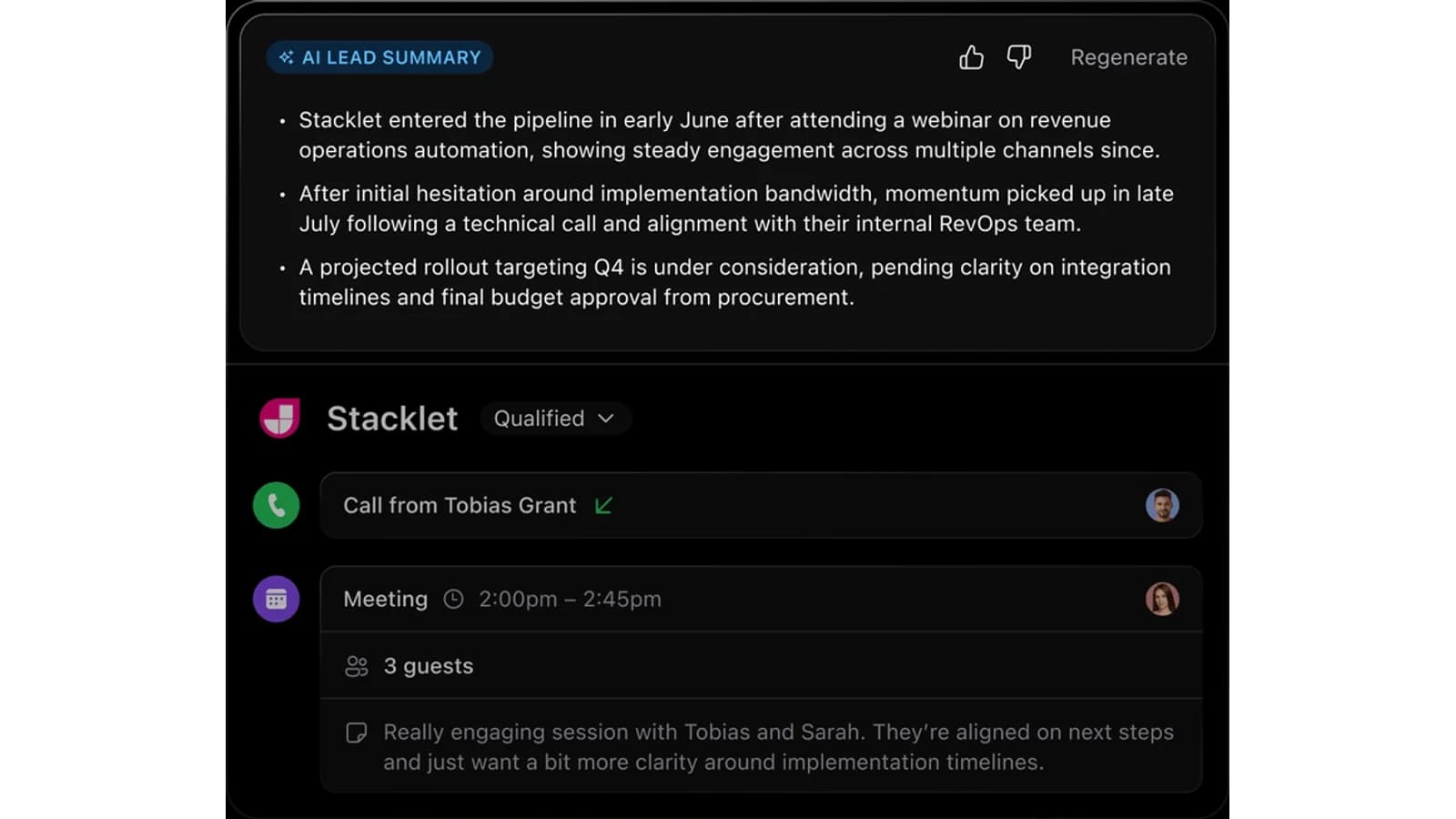
Best fornative outbound communicationStarting price$9/user/month billed annually for SoloLast verified July 26, 2026Editorial callBest for an outbound startup
Close product interface · Official vendor image
Close combines email, calling, SMS, inbox, tasks, and pipeline work for an outbound startup. Solo is $9 per user monthly billed annually but supports one user and no workflows. Essentials is $35 annually; Growth is $99 and adds workflows, power dialing, custom activities, and bulk email.
The economics work when Close replaces a separate CRM, dialer, and sequencing stack. Phone numbers, calls, SMS, Call Assistant, and extra AI use can still add cost, so a buyer should model actual volume. An inbound or product-led company would pay for specialist capabilities it barely uses.
Time-to-value can be short because the interface follows a focused seller workflow, but only if the team already has a list strategy, messaging, ownership rules, and daily prospecting cadence. Close will not create a repeatable outbound motion by itself. Measure whether reps complete more quality conversations and follow-ups, not simply whether activity volume rises.
Adoption: fast when the outbound motion already exists. Best for: sellers calling and emailing prospects throughout the day. Skip this if: workflows are needed below Growth or outbound is secondary. Key tradeoff: consolidated execution at specialist pricing. Final verdict: choose Close only when communications are the sales operating model.
Key tradeoff: Solo supports only one user

Starting price
$9/user/month billed annually for Solo · SourceChecked July 26, 2026
Key plan limit
Workflows require Growth at $99/user/month annual; role controls require Scale at $139. · SourceChecked July 26, 2026
monday CRM can connect revenue work to broader operations, but seat minimums and limits on records, columns, dashboards, and automations make the real cost highly configuration-dependent.
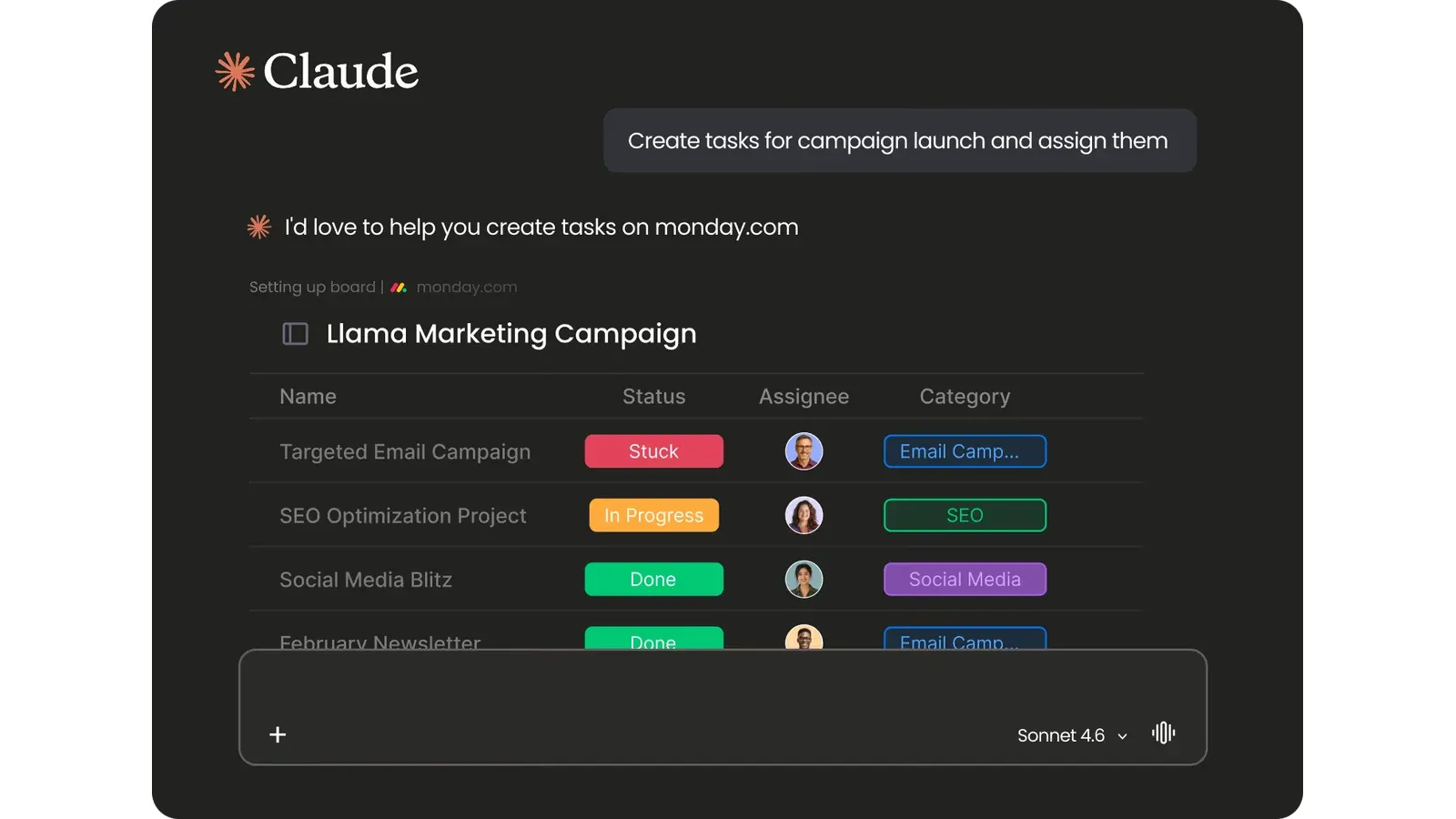
Best forboard-based sales and deliveryStarting price$12/seat/month billed yearly for BasicLast verified July 26, 2026Editorial callBest for board-based startup operations
monday CRM product interface · Official vendor image
monday CRM suits a startup already running product, operations, or delivery in configurable boards. Basic is $12 per seat monthly billed yearly, Standard $17, and Pro $28; plans start at three users. Standard is the practical floor for centralized communication and broader automation.
Its advantage is cross-functional configuration, but active records, columns, dashboards, invoices, and automation allowances can force upgrades. A team should build one representative lead-to-handoff workflow during the trial and price from that design. Without an owner for boards and governance, flexibility becomes administration.
Existing monday users may reach value faster because terminology, permissions, dashboards, and automation patterns are already familiar. New customers face two adoption projects at once: learning the platform and defining the sales system. The strongest case is a company that deliberately wants customer acquisition and delivery connected, not a sales team choosing boards because they look approachable.
Adoption: moderate to high, but faster for existing monday users. Best for: teams deliberately connecting sales to board-based operations. Skip this if: one or two seats or a prescriptive CRM is required. Key tradeoff: cross-functional flexibility needs process ownership. Final verdict: choose monday CRM when the board system is already part of how the company works.
Key tradeoff: Three-user minimum

Starting price
$12/seat/month billed yearly for Basic · SourceChecked July 26, 2026
Key plan limit
Basic has 1,000 active contacts/deals; Standard has 10,000 and 250 automations/month. · SourceChecked July 26, 2026
Disclosure: WireRanked may earn a commission if you buy through links on our site. Affiliate relationships do not determine our rankings.
For this guide, a startup means a company moving beyond founder-led selling into a dedicated go-to-market team with shared ownership, routing, reporting, and customer handoffs. Salesforce Starter Suite ranks first because it is the strongest operating system for that transition; HubSpot ranks second because it is the best free starting point, but its eventual paid configuration is harder to forecast.
This is official-source desk research, not hands-on testing. We compared the first usable plan, adoption complexity, time-to-value, operating fit, limits, communication, automation, and upgrade path. Affiliate payout did not affect rank.
The shortlist
Ranked picks
Salesforce leads for a scaling revenue team that needs structured routing and cross-functional ownership now. HubSpot is the better $0 starting point, but ranks second because teams must model paid hubs, seats, automation, and credits before making it operationally central.
Starter Suite is the strongest bridge from founder-led selling to structured revenue operations, but the jump from $25 Starter to $100 Pro is material.
HubSpot provides a credible free entry and broad customer-platform runway. The drawback is procurement: model the exact premium tools, seats, and credits before standardizing.
Attio fits a startup whose revenue model does not map cleanly to conventional CRM objects. The 10-seat Plus cap and $79 annual Pro price become important quickly.
Zoho’s three-user free edition is unusually capable, and paid tiers extend into forecasting, process management, territories, and portals. Packaging complexity is the tradeoff.
Close earns its price when native communication replaces a separate dialer and sequencing stack. Teams need Growth at $99 annual for workflows, making it an expensive general CRM.
monday CRM can connect revenue work to broader operations, but seat minimums and limits on records, columns, dashboards, and automations make the real cost highly configuration-dependent.
Starter Suite is the strongest bridge from founder-led selling to structured revenue operations, but the jump from $25 Starter to $100 Pro is material.
Best forstructured revenue operationsStarting price$25/user/monthLast verified July 26, 2026Editorial callBest overall for a scaling startup
Salesforce Starter Suite product interface · Official vendor image
Salesforce Starter Suite is the strongest choice once a startup needs more than a founder’s contact manager. At $25 per user per month with monthly or annual billing, it combines lead, account, contact, and opportunity management with routing, sales flows, synchronized email and events, marketing, analytics, service, and commerce.
That breadth creates the clearest operating system for a scaling revenue team: customer data can gain structure without another migration as sales hands work to onboarding, support, and expansion. HubSpot is easier to start at $0; Salesforce wins when the company already knows it needs formal ownership and controls. Pro costs $100 per user monthly billed annually, so the upgrade must be modeled early.
Starter is most defensible when lead assignment, standardized stages, email synchronization, basic marketing, and service context must work together immediately. It is less compelling as insurance against hypothetical scale. A small team should document which Starter functions it will use in the first quarter and which concrete requirement would justify Pro before committing its process to the platform.
Adoption: moderate. Assign an operations owner, define routing and required fields, and configure only the first working process. Best for: a startup formalizing sales, marketing, and service. Skip this if: one founder still owns the entire pipeline. Key tradeoff: durable structure with a steep Pro upgrade. Final verdict: choose Salesforce when scaling discipline matters more than free entry.
Key tradeoff: Pro is four times the Starter per-user price
HubSpot provides a credible free entry and broad customer-platform runway. The drawback is procurement: model the exact premium tools, seats, and credits before standardizing.
Best fora free cross-functional startStarting price$0 free CRMLast verified July 26, 2026Editorial callBest cross-functional free starting point
HubSpot Smart CRM product interface · Official vendor image
HubSpot is the best free starting point for a startup that wants sales, marketing, and service activity on one customer record without initial CRM subscription spend. Forms, meetings, deals, and support context can begin together, and premium tools build on the same database.
It ranks behind Salesforce because this guide targets companies entering a dedicated go-to-market stage. HubSpot can serve that company, but the paid architecture—hubs, seats, automation, reporting, onboarding, and AI credits—must be configured before its future cost is clear. Salesforce Starter presents the more explicit operating package for the transition.
The free tier still has strategic value: a startup can establish clean customer records, forms, meetings, and basic pipeline habits before procurement. The mistake is treating free adoption as proof that the eventual paid stack is economical. Model the first two paid use cases, required seats, marketing contacts, automation volume, and onboarding before data and workflows become difficult to move.
Adoption: fast at the free level, slower when designing the paid stack. Best for: a team needing a cross-functional $0 foundation. Skip this if: predictable paid packaging is essential. Key tradeoff: the lowest-friction start creates more procurement work later. Final verdict: choose HubSpot when free time-to-value outranks near-term cost certainty.
Key tradeoff: Paid packaging cannot be evaluated from one headline price
Attio fits a startup whose revenue model does not map cleanly to conventional CRM objects. The 10-seat Plus cap and $79 annual Pro price become important quickly.
Best forcustom relationship modelingStarting priceFree for up to 3 seatsLast verified July 26, 2026Editorial callBest for a flexible startup data model
Attio product interface · Official vendor image
Attio fits startups whose revenue model does not map neatly to a fixed lead-account-opportunity hierarchy. Teams can model customers, partners, investors, candidates, communities, or product-qualified accounts with custom objects and relationships, while contact sync and enrichment reduce manual upkeep.
Free supports three seats. Plus costs $35 per user monthly annually or $44 monthly and stops at 10 seats. Pro costs $79 annually or $99 monthly and adds call intelligence, sequences, permissions, and advanced reporting. The flexibility is valuable, but somebody must design the objects, required fields, ownership, and transitions.
A sensible pilot uses one real relationship model rather than recreating every spreadsheet at once. Import customers and one adjacent object, such as partners or investors, then verify views, permissions, automations, enrichment, and reporting. This reveals whether Attio’s flexibility removes a genuine constraint or merely shifts process decisions from the CRM vendor to an internal operator.
Adoption: moderate and operations-dependent. Best for: a product-minded team with a nonstandard relationship model. Skip this if: an opinionated sales process or more than 10 Plus seats is needed. Key tradeoff: model flexibility creates design work. Final verdict: choose Attio when adapting the CRM to the business is worth the setup.
Key tradeoff: Plus stops at 10 seats
Starting price
Free for up to 3 seats · SourceChecked July 26, 2026
Key plan limit
Plus is capped at 10 seats; Pro costs $79/user/month annual or $99 monthly. · SourceChecked July 26, 2026
Zoho’s three-user free edition is unusually capable, and paid tiers extend into forecasting, process management, territories, and portals. Packaging complexity is the tradeoff.
Best forfree entry plus deep configurationStarting priceFree for 3 users; Standard $14/user/month annuallyLast verified July 28, 2026Editorial callBest for budget-conscious customization
Zoho CRM product interface · Official vendor image
Zoho CRM has the strongest free customization path here: up to three users get leads, deals, workflows, reports, mobile apps, tasks, calls, imports, exports, and API access. Confirmed U.S. annual prices are $14 for Standard, $23 for Professional, $40 for Enterprise, and $52 for Ultimate per user monthly.
Standard adds multiple pipelines, calling, forms, forecasting, and automation; Professional adds process and inventory management; higher editions add territories, portals, custom functions, and more advanced controls. That runway is substantial, but the product and edition matrix asks a startup to make more configuration and procurement decisions than Salesforce Starter or HubSpot Free.
The three-user free edition is enough to validate data discipline before paying, but it should not postpone edition planning. A growing team should map each required workflow, forecast, approval, integration, and AI feature to a specific paid tier. Zoho becomes attractive when that configuration work replaces several other systems; it becomes burdensome when nobody owns administration.
Adoption: moderate to high. Best for: a budget-conscious team willing to configure its system. Skip this if: one clear package and minimal administration matter most. Key tradeoff: breadth and low entry cost versus implementation simplicity. Final verdict: choose Zoho when customization capacity is more valuable than speed.
Key tradeoff: Free plan stops at three users
Starting price
Free for up to 3 users · SourceChecked July 26, 2026
Key plan limit
Paid USD amounts are omitted because the live page localized pricing to INR. · SourceChecked July 26, 2026
Close earns its price when native communication replaces a separate dialer and sequencing stack. Teams need Growth at $99 annual for workflows, making it an expensive general CRM.
Best fornative outbound communicationStarting price$9/user/month billed annually for SoloLast verified July 26, 2026Editorial callBest for an outbound startup
Close product interface · Official vendor image
Close combines email, calling, SMS, inbox, tasks, and pipeline work for an outbound startup. Solo is $9 per user monthly billed annually but supports one user and no workflows. Essentials is $35 annually; Growth is $99 and adds workflows, power dialing, custom activities, and bulk email.
The economics work when Close replaces a separate CRM, dialer, and sequencing stack. Phone numbers, calls, SMS, Call Assistant, and extra AI use can still add cost, so a buyer should model actual volume. An inbound or product-led company would pay for specialist capabilities it barely uses.
Time-to-value can be short because the interface follows a focused seller workflow, but only if the team already has a list strategy, messaging, ownership rules, and daily prospecting cadence. Close will not create a repeatable outbound motion by itself. Measure whether reps complete more quality conversations and follow-ups, not simply whether activity volume rises.
Adoption: fast when the outbound motion already exists. Best for: sellers calling and emailing prospects throughout the day. Skip this if: workflows are needed below Growth or outbound is secondary. Key tradeoff: consolidated execution at specialist pricing. Final verdict: choose Close only when communications are the sales operating model.
Key tradeoff: Solo supports only one user
Starting price
$9/user/month billed annually for Solo · SourceChecked July 26, 2026
Key plan limit
Workflows require Growth at $99/user/month annual; role controls require Scale at $139. · SourceChecked July 26, 2026
monday CRM can connect revenue work to broader operations, but seat minimums and limits on records, columns, dashboards, and automations make the real cost highly configuration-dependent.
Best forboard-based sales and deliveryStarting price$12/seat/month billed yearly for BasicLast verified July 26, 2026Editorial callBest for board-based startup operations
monday CRM product interface · Official vendor image
monday CRM suits a startup already running product, operations, or delivery in configurable boards. Basic is $12 per seat monthly billed yearly, Standard $17, and Pro $28; plans start at three users. Standard is the practical floor for centralized communication and broader automation.
Its advantage is cross-functional configuration, but active records, columns, dashboards, invoices, and automation allowances can force upgrades. A team should build one representative lead-to-handoff workflow during the trial and price from that design. Without an owner for boards and governance, flexibility becomes administration.
Existing monday users may reach value faster because terminology, permissions, dashboards, and automation patterns are already familiar. New customers face two adoption projects at once: learning the platform and defining the sales system. The strongest case is a company that deliberately wants customer acquisition and delivery connected, not a sales team choosing boards because they look approachable.
Adoption: moderate to high, but faster for existing monday users. Best for: teams deliberately connecting sales to board-based operations. Skip this if: one or two seats or a prescriptive CRM is required. Key tradeoff: cross-functional flexibility needs process ownership. Final verdict: choose monday CRM when the board system is already part of how the company works.
Key tradeoff: Three-user minimum

Starting price
$12/seat/month billed yearly for Basic · SourceChecked July 26, 2026
Key plan limit
Basic has 1,000 active contacts/deals; Standard has 10,000 and 250 automations/month. · SourceChecked July 26, 2026
How to choose CRM software for a growing startup
Buying criteria and research
How the WireRank Score works
WireRank methodology v1.0 scores each product from 0 to 10 using current primary-source evidence.
Use-case fit (30%) — How directly the product solves the article’s target workflow.
Ease of setup and use (20%) — Time to value, administration burden, and day-to-day usability.
Price and total value (20%) — Verified cost, plan limits, required seats, add-ons, and value for the target buyer.
Core capability depth (15%) — Breadth and quality of the functions that matter for the ranked use case.
Integrations and scalability (10%) — Ecosystem fit, data portability, automation, and room to grow.
Support and buyer risk (5%) — Support access, contract friction, security signals, and material limitations.
Separate founder-led and scaling needs
A founder and first seller need shared next actions. A dedicated go-to-market team needs routing, permissions, forecasts, lifecycle ownership, and handoffs. Buy for the operating model expected in the next 12–18 months, not an imagined enterprise future.
Design the process first
Define how a lead is created, qualified, routed, advanced, closed, onboarded, renewed, and expanded. Name the owner and required data at each transition before configuring software.
Price the first usable plan
Include annual prepayment, seat minimums, implementation, calling, AI credits, enrichment, and support. The free tier matters less than the first plan that runs the real workflow.
Measure time-to-value
During a trial, import representative records, connect email and calendar, run routing, produce a pipeline review, and export the data. Track required-field completion and overdue next steps, not login counts.
Who should not use a startup CRM yet?
A solo founder with very few customers who is still validating product-market fit may learn faster with a disciplined spreadsheet and calendar. Adopt a CRM when shared ownership, missed follow-up, duplicate outreach, or reporting needs become the constraint—not because the company now calls itself a startup.
How we chose the best CRM for startups
We reviewed official vendor pricing, product, help-center, and partner pages on July 26, 2026. The ranking targets a startup moving beyond founder-only sales and weights cross-functional lifecycle support, routing, permissions, automation, reporting, integrations, data-model flexibility, upgrade path, verified price, seat and record limits, and procurement complexity.
This was desk research only. We did not install the products, run vendor demos as independent evidence, or make performance claims. Rankings do not consider affiliate payout. Vendor pages can change, tax and negotiated terms vary, HubSpot’s dynamic pricing page did not expose reliable paid amounts in the research fetch, and Zoho localized paid pricing to INR; this article therefore avoids unsupported paid figures for those two products.
Related research
Continue your CRM research
Use the narrower guide if your company is still at the first-pipeline stage, or compare two focused sales platforms directly.
Choose Salesforce for a scaling revenue operating system, HubSpot for the best free cross-functional start, Attio for custom relationships, Zoho for low-cost configuration, Close for outbound execution, or monday CRM for board-based operations.
Salesforce Starter Suite is our top pick for a startup moving beyond founder-led selling because it combines customer records, lead routing, sales flows, marketing, service, and commerce for $25 per user per month. A very small seed-stage team may prefer Pipedrive, while HubSpot is the better starting point when avoiding an initial subscription is the priority.
When should a startup start using a CRM?
Start before customer follow-up depends on one founder’s inbox or memory. The practical trigger is shared ownership: multiple people are contacting prospects, managing renewals, or reporting pipeline. A startup should define stages and required fields first, then configure the smallest system that makes ownership, next actions, and forecasts visible without creating administrative drag.
Is HubSpot or Salesforce better for a startup?
HubSpot is usually the easier free entry when a startup wants sales, marketing, and service tools around one customer record. Salesforce Starter Suite is the stronger choice here for a team deliberately formalizing routing, automation, and cross-functional process at a transparent $25 per-user price. Compare the first paid configuration that supports your actual workflow, not the free logos.
Can a startup use a free CRM?
Yes. HubSpot offers a free CRM, Attio supports up to three seats free, and Zoho CRM has a free edition for three users. Free works for proving a data model and follow-up process. Check user, record, export, automation, reporting, permission, and integration limits before importing the full customer database or building critical workflows.
What CRM features matter most for a growing startup?
Prioritize clean account and contact records, configurable pipeline stages, email and calendar sync, lead routing, permissions, automation, forecasting, reliable exports, and API access. Marketing and service integration matter when those teams share lifecycle ownership. Ignore advanced features until a named process needs them; unused flexibility becomes implementation work rather than an advantage.
How much does CRM software cost for a startup?
In this comparison, verified starting prices run from free to $25 per user per month for broadly useful entry editions, while advanced tiers rise to $79, $99, $100, or more per user monthly. The effective cost also includes annual prepayment, minimum seats, calling, AI credits, implementation, data migration, and the upgrade needed for workflows or permissions.
How do startups avoid a failed CRM rollout?
Name one owner, document the sales stages, define required fields, import a representative sample, connect email, build the weekly pipeline review, and test a full export before migrating everything. Measure adoption through data completeness and overdue next steps, not login counts. Add automation only after the manual process works consistently and the team agrees on ownership.