
WireRanked may earn a commission when you click links on this page. Affiliate relationships do not determine our rankings, and every recommendation is subject to human editorial review.
Pipedrive is the best CRM for most seed-stage startups because this ranking prioritizes the long-term operating system for a repeatable sales team—not simply the cheapest starting point. HubSpot is the better free on-ramp, but Pipedrive’s focused pipeline, activity discipline, and clearer sales workflow make it the stronger default once founder-led selling becomes a team process.
The shortlist
Our ranked CRM picks
Six CRM choices ranked for a seed-stage company building a repeatable sales process. Pipedrive leads for focused execution; HubSpot leads when free entry matters most.
Pricing checked July 29, 2026

Pipedrive
The clearest default for a sub-15-person team that needs pipeline discipline without enterprise overhead.
- Best for
- Immediate — focused pipeline and next activities

HubSpot
The best free on-ramp, but not the top long-term operating system for a seed-stage sales team that values focused execution and predictable process.
- Best for
- Immediate — free CRM and connected starter tools

Attio
The strongest fit for startups whose relationships do not map neatly to a conventional sales pipeline.
- Best for
- Moderate — custom relationship model

Close
Choose it when calling, email and SMS are the sales motion; skip it when outbound is secondary.
- Best for
- Immediate — calling-led outbound

monday CRM
A situational winner for teams already operating in monday.com, with pricing that must be checked at the intended seat count.
- Best for
- Advanced — sales connected to cross-functional boards

folk
Best for relationship-led prospecting rather than formal, high-volume sales operations.
- Best for
- Moderate — relationship-led founder selling
At a glance
Compare the top picks
Swipe to compare all columns
| Rank | Logo | Product | WireRank | Best for | Starting price | Standout | Action |
|---|---|---|---|---|---|---|---|
| #1 | | PipedriveTop pick | 9.4 / 10 | Immediate — focused pipeline and next activities | Lite $14 per seat/month billed annuallyLast verified July 29, 2026 | Best overall | View plans |
| #2 | | HubSpot | 9.2 / 10 | Immediate — free CRM and connected starter tools | Free for 2 users; Starter promotion $10/user/month billed annuallyLast verified July 29, 2026 | Best free starting point | See current pricing |
| #3 | | Attio | 8.9 / 10 | Moderate — custom relationship model | Free for 3 seats; Plus $35 per user/month billed annuallyLast verified July 29, 2026 | Best flexible data model | See current pricing |
| #4 | | Close | 8.5 / 10 | Immediate — calling-led outbound | Solo $9 per user/month billed annuallyLast verified July 29, 2026 | Best for outbound sales | See current pricing |
| #5 | | monday CRM | 8.2 / 10 | Advanced — sales connected to cross-functional boards | Three-seat Basic $12 per seat/month billed annuallyLast verified July 29, 2026 | Best for monday.com users | See current pricing |
| #6 | | folk | 7.9 / 10 | Moderate — relationship-led founder selling | Standard $24 per member/month billed annuallyLast verified July 29, 2026 | Best for relationship-led sales | See current pricing |
Best overall
Pipedrive
- Best for
- Immediate — focused pipeline and next activities
- Starting price
- Lite $14 per seat/month billed annuallyLast verified July 29, 2026
- Our rating
- 9.4/10WireRanked score
Best free starting point
HubSpot
- Best for
- Immediate — free CRM and connected starter tools
- Starting price
- Free for 2 users; Starter promotion $10/user/month billed annuallyLast verified July 29, 2026
- Our rating
- 9.2/10WireRanked score
Best flexible data model
Attio
- Best for
- Moderate — custom relationship model
- Starting price
- Free for 3 seats; Plus $35 per user/month billed annuallyLast verified July 29, 2026
- Our rating
- 8.9/10WireRanked score
Best for outbound sales
Close
- Best for
- Immediate — calling-led outbound
- Starting price
- Solo $9 per user/month billed annuallyLast verified July 29, 2026
- Our rating
- 8.5/10WireRanked score
Best for monday.com users
monday CRM
- Best for
- Advanced — sales connected to cross-functional boards
- Starting price
- Three-seat Basic $12 per seat/month billed annuallyLast verified July 29, 2026
- Our rating
- 8.2/10WireRanked score
Best for relationship-led sales
folk
- Best for
- Moderate — relationship-led founder selling
- Starting price
- Standard $24 per member/month billed annuallyLast verified July 29, 2026
- Our rating
- 7.9/10WireRanked score
Choose This CRM If...Time to productive setup
A conventional sales model reduces process design before the first pipeline review.
View plansTemplates and a broad free toolkit support a quick start, though later Hub choices add complexity.
See current pricingObjects, attributes, views, and workflows need deliberate design before the workspace becomes consistent.
See current pricingEmail, phone, SMS, and pipeline are already organized around rep execution.
See current pricingThe team must design boards, fields, automations, ownership, and handoffs.
See current pricingThe core model is light, but enrichment, outreach, groups, and data hygiene still need setup.
See current pricingBest overall
Pipedrive
The clearest default for a sub-15-person team that needs pipeline discipline without enterprise overhead.
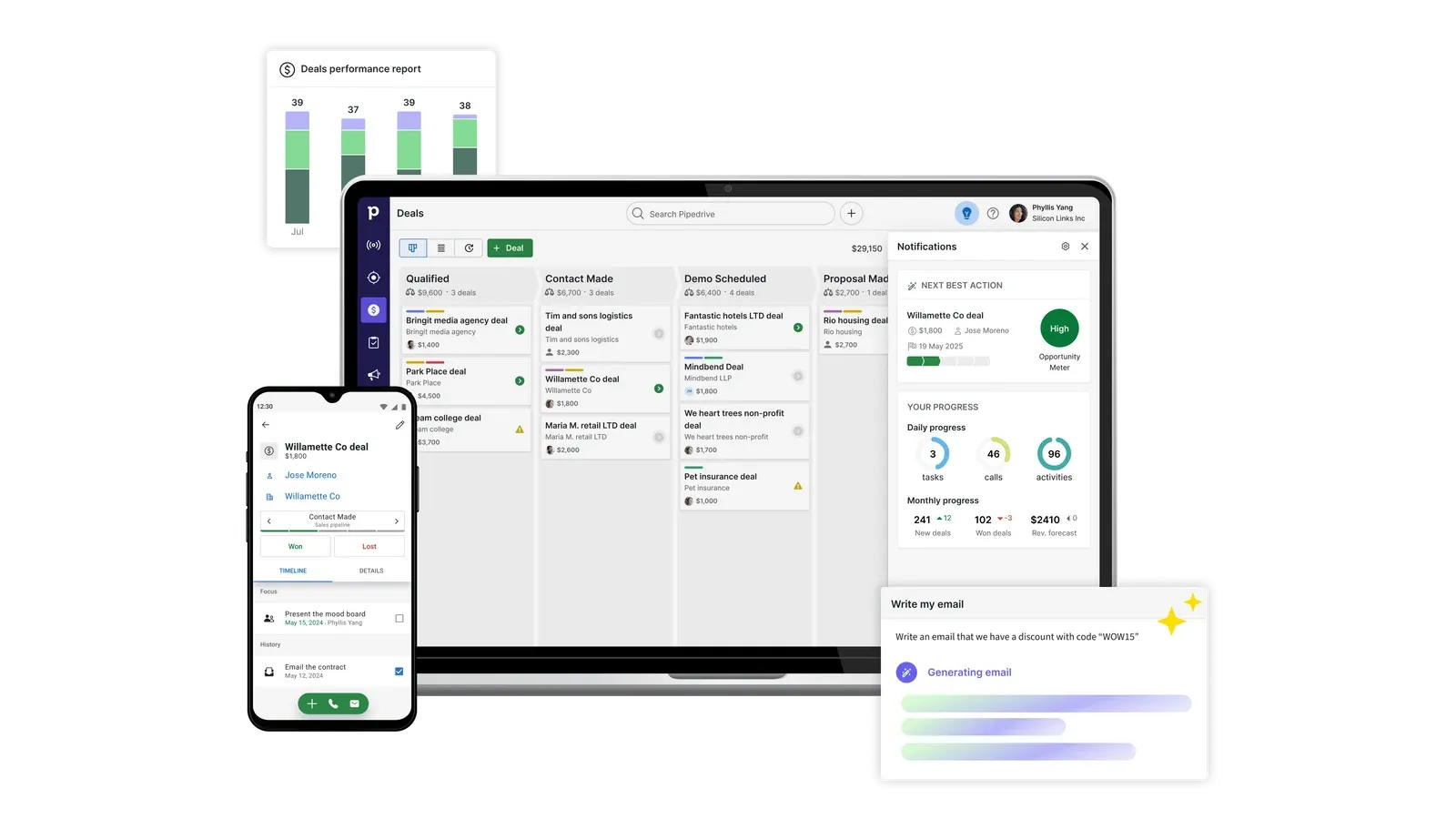
Pipedrive is organized around deals, stages, and the next activity. That focus helps a founder or first sales hire see what is moving, what has stalled, and what must happen next without designing the CRM from scratch.
Lite covers leads, deals, contacts, calendar, pipeline, imports, reports, and more than 500 integrations. Growth adds email sync and tracking, automations, sequences, forecasts, subscriptions, installments, and a meeting scheduler. Annual prices are $14 for Lite, $39 Growth, $59 Premium, and $79 Ultimate per seat/month; monthly prices are $24, $49, $79, and $99.
Best for: a small sales team building disciplined pipeline execution. Skip this if: a permanent free plan or highly custom relationship model is essential. Key tradeoff: focused adoption over platform breadth. Final verdict: choose Pipedrive when the startup needs a durable sales operating system more than the cheapest entry.
Key tradeoff: There is no permanent free plan; the free access is a 14-day trial.
Best free starting point
HubSpot
The best free on-ramp, but not the top long-term operating system for a seed-stage sales team that values focused execution and predictable process.
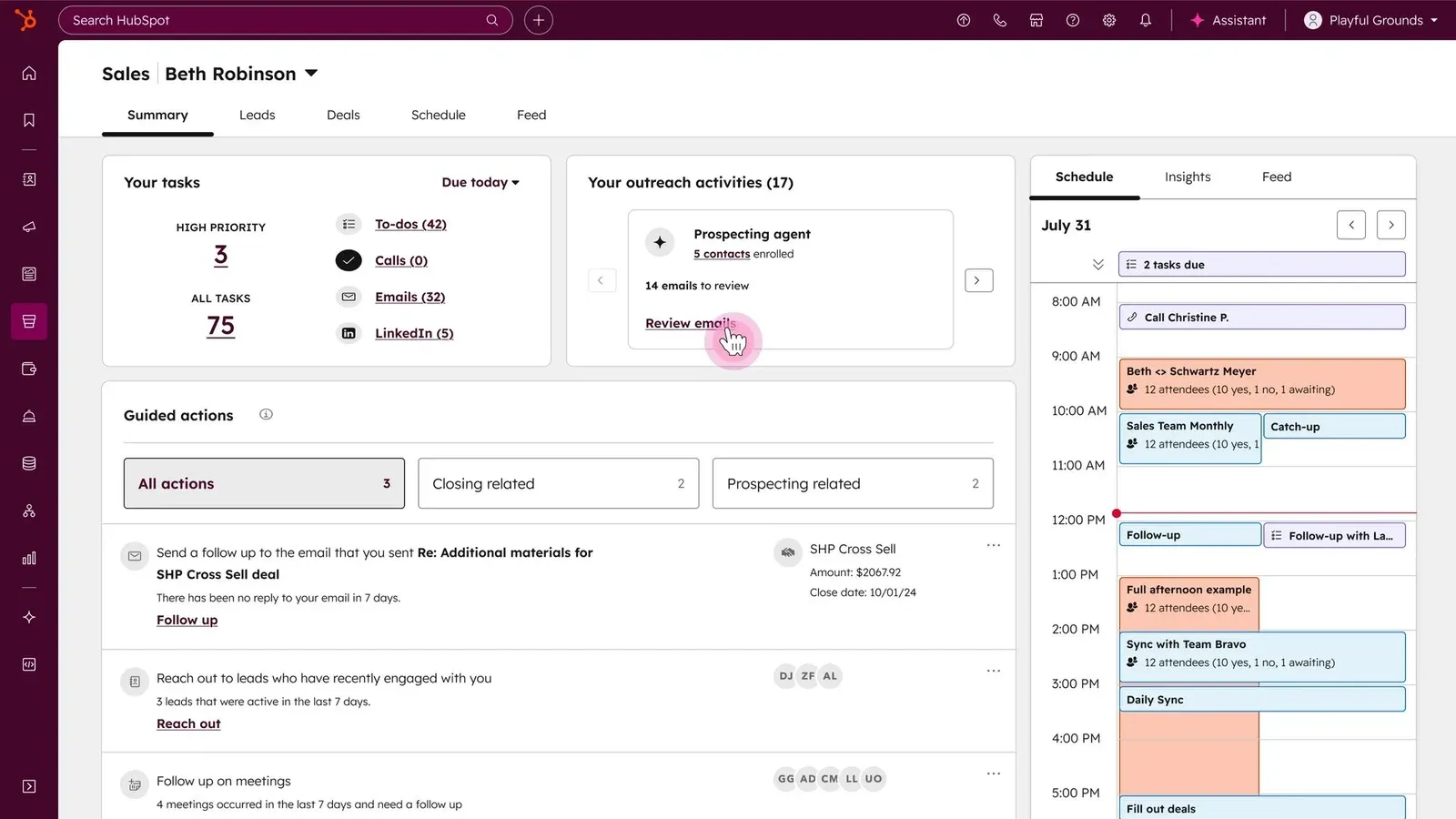
HubSpot is the practical on-ramp when a startup needs a shared customer database before another per-seat bill. Free combines CRM with lighter sales, marketing, and service tools for up to two users and 1,000 contacts.
The current new-customer Starter promotion is $10 per user/month billed annually or $15 monthly. Promotional terms can change, and paid cost can expand through seats, Hubs, credits, communications, and add-ons, so model the first configuration the team will actually need rather than anchoring on the discount.
Best for: one or two founders wanting a capable free start and connected customer tools. Skip this if: more than two users need access or simple packaging matters. Key tradeoff: excellent free entry with a more complex paid path. Final verdict: choose HubSpot when cash preservation and cross-functional runway outweigh Pipedrive’s tighter sales focus.
Key tradeoff: The free account is limited to two users and 1,000 contacts.
Best flexible data model
Attio
The strongest fit for startups whose relationships do not map neatly to a conventional sales pipeline.

Attio suits startups that do not want data forced into a rigid lead-account-opportunity hierarchy. Custom objects, relationship attributes, synced email and calendar data, enrichment, and configurable views can cover investors, partners, candidates, communities, and sales.
Free supports three seats, three objects, and 50,000 records. Plus is $35 per user/month annually or $44 monthly; Pro is $79 annually or $99 monthly and adds call intelligence, sequences, reporting, and stronger permissions. Credits govern some enrichment and AI activity.
Best for: a product-minded team with a custom relationship model. Skip this if: the startup wants an opinionated sales workflow immediately. Key tradeoff: flexibility requires more design and governance. Final verdict: choose Attio when the data model is strategic enough to justify a moderate setup.
Key tradeoff: The flexible model asks the team to make more setup decisions than a pipeline-first CRM.
Best for outbound sales
Close
Choose it when calling, email and SMS are the sales motion; skip it when outbound is secondary.
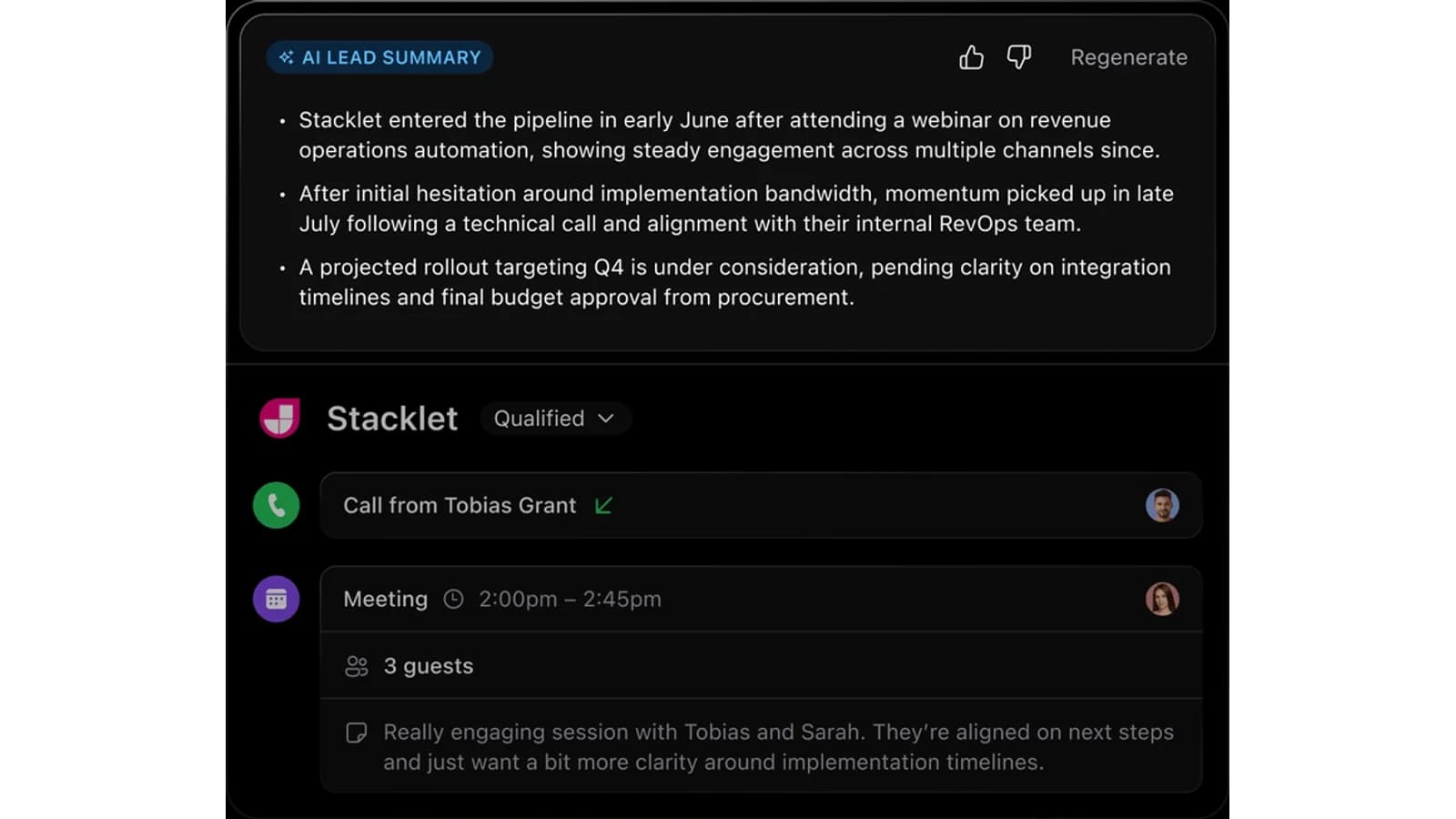
Close puts calling, email, SMS, and pipeline together for teams that spend most of the day prospecting and following up. Reps can communicate and update deal context without maintaining a separate dialer and inbox workflow.
Solo costs $9 per user/month annually or $19 monthly; Essentials is $35/$49, Growth $99/$109, and Scale $139/$149. Calling and SMS usage are separate, so subscription price is not the complete outbound cost.
Best for: a compact phone-and-email-heavy sales team. Skip this if: growth is primarily product-led or inbound. Key tradeoff: specialist outbound execution instead of a broad customer platform. Final verdict: choose Close when native communications are central to the sales motion.
Key tradeoff: Calling and SMS usage charges sit outside the subscription price.
Best for monday.com users
monday CRM
A situational winner for teams already operating in monday.com, with pricing that must be checked at the intended seat count.
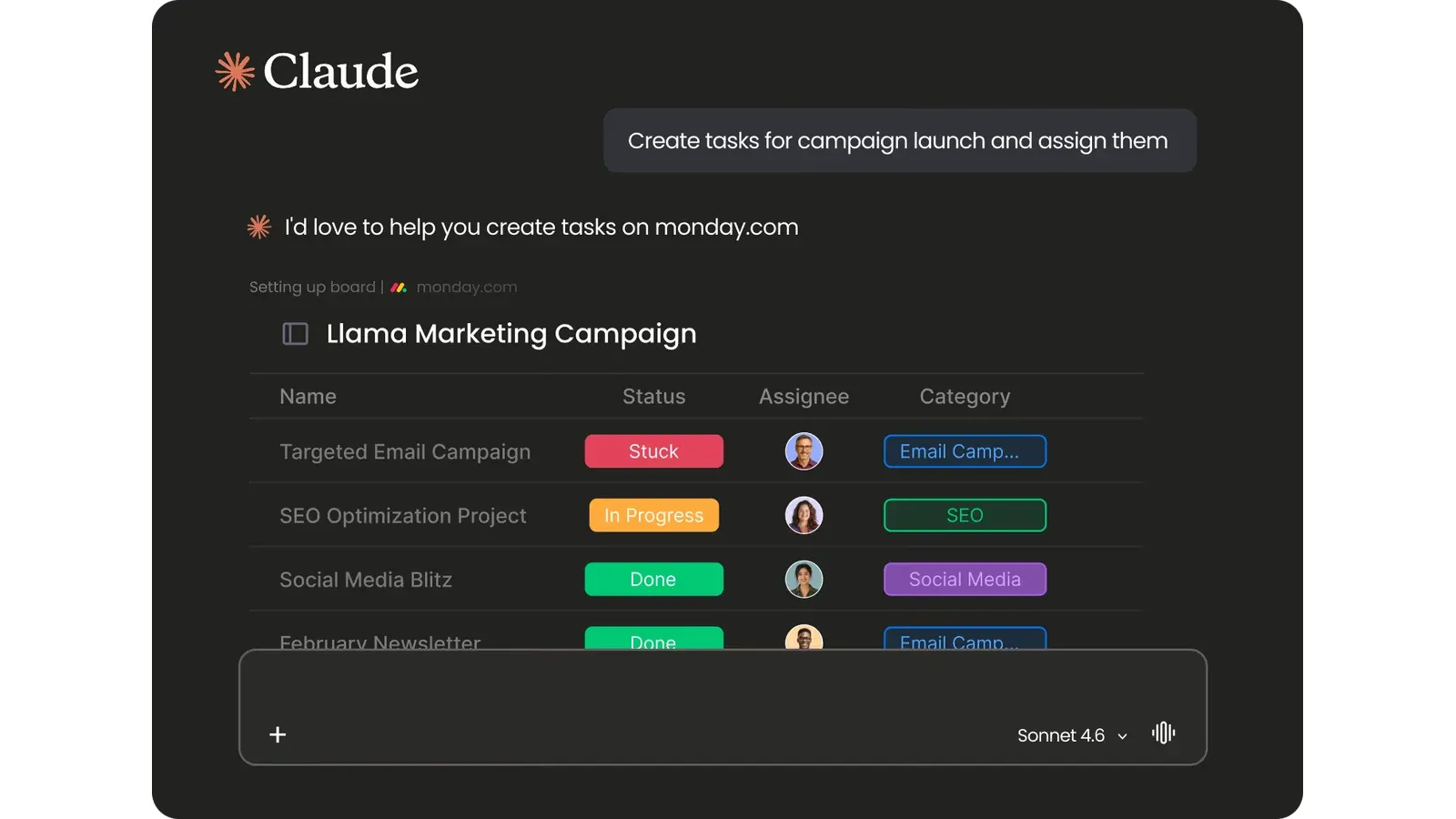
monday CRM adapts a board-based work model to contacts, deals, and sales activity. It fits best when product, operations, or delivery already uses monday and connected workflows matter more than a prescriptive CRM.
At three seats, Basic is $12 per seat/month annually and Standard $17. Pricing changes with team size; plan limits also govern active contacts, deals, dashboards, quotes, invoices, workspaces, and automation. The team must design boards and ownership before the system becomes productive.
Best for: a startup already committed to monday’s operating model. Skip this if: fewer than three seats or minimal configuration is required. Key tradeoff: cross-functional flexibility adds setup work. Final verdict: choose monday CRM only when connected boards are already part of the company’s operating system.
Key tradeoff: The three-user starting point creates a minimum bill for one- or two-person teams.
Best for relationship-led sales
folk
Best for relationship-led prospecting rather than formal, high-volume sales operations.
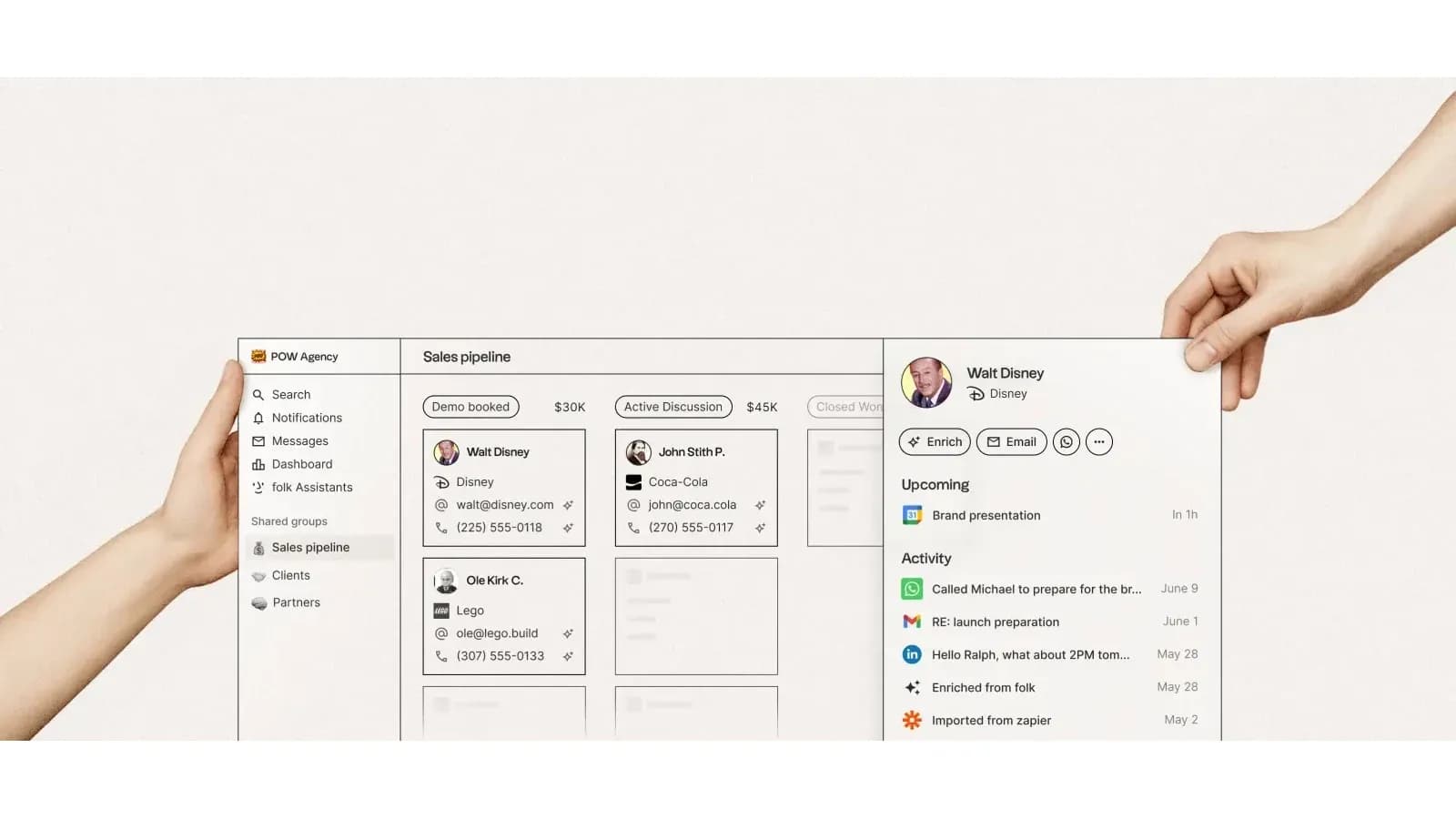
folk centers people, companies, shared interactions, and lightweight outreach. Its LinkedIn extension, enrichment, email campaigns, WhatsApp sync, and reminders suit founder-led selling through networks, partnerships, and warm introductions.
Standard costs $24 per member/month annually or $30 monthly. Premium is $48 annually or $60 monthly and adds custom objects, deals, sequences, roles, dashboards, and API access. The two-week trial exposes Premium features; accounts that do not upgrade are blocked afterward.
Best for: relationship-heavy teams living in LinkedIn and email. Skip this if: deep forecasting or a usable permanent free plan is required. Key tradeoff: lightweight relationship selling over conventional sales operations. Final verdict: choose folk when warm-network execution matters more than pipeline depth.
Key tradeoff: There is no ongoing free tier; access is blocked after the trial unless the workspace upgrades.
How we chose these startup CRMs
This ranking is research-based; WireRanked did not perform hands-on product testing for this article. We compared the vendors’ official pricing and product pages on July 22, 2026, then weighted the needs of a seed-stage company with fewer than 15 people: speed to a usable pipeline, minimum seat commitment, entry price, email and activity workflow, automation, reporting, integrations, flexibility and the likelihood of paying for unused enterprise controls.
Related research
Continue your CRM research
Move from the ranked shortlist into a focused head-to-head or supporting category guide.


Who shouldn't buy a CRM yet?
A pre-product-market-fit founder with only a handful of active customers and no repeatable sales process may be better served by a disciplined spreadsheet. A CRM cannot create a motion that does not exist; it can add fields, stages, and maintenance before the team knows what should be standardized. Adopt one when shared ownership, missed follow-up, repeatable stages, or pipeline reporting becomes a real operating problem.
Final recommendation
Final recommendation
Choose Pipedrive for the strongest long-term seed-stage sales operating system, HubSpot for free entry, Attio for a custom relationship model, Close for outbound communications, monday CRM for connected boards, or folk for network-led selling.
Top pick: Pipedrive for immediate — focused pipeline and next activities.
HubSpot, Attio and Close are stronger when free access, flexible relationship data or outbound communication matters more than a conventional pipeline.
View plansWhat CRM is best for a small startup?
Pipedrive is the best default for a small startup that already has a repeatable sales motion because its pipeline, activities and Growth-tier email automation are easy to map to a compact team. HubSpot is the better starting point for one or two users who need a free CRM, while Attio suits teams with nonstandard relationship data.
Is HubSpot CRM really free?
HubSpot currently lists its free CRM tools at $0 with access for up to two users and 1,000 contacts, without a time limit. Limits and HubSpot branding apply, and more advanced automation or higher-capacity needs require paid products. Check HubSpot’s current pricing page before choosing a plan because promotions and limits can change.
How much should a startup spend on CRM software?
A seed-stage startup should budget from the minimum usable tier, not the cheapest advertised tier. For six users, a $14-per-seat plan is $84 per month before add-ons, while $35 per seat is $210. Include mandatory seat minimums, annual prepayment, calling usage, enrichment credits and implementation time in the comparison.
When should a startup move beyond spreadsheets?
Move when the spreadsheet no longer shows who owns each opportunity, the next action, recent communication and a trustworthy pipeline total. A CRM is also justified when follow-ups slip or multiple people contact the same lead. A solo founder with a handful of active deals may reasonably delay the switch.
Which startup CRM is best for outbound sales?
Close is the strongest fit here for outbound-heavy teams because calling, email and SMS sit inside the CRM workflow. Pipedrive Growth is a more balanced alternative when outbound is only one channel. Compare total cost carefully: Close bills calling and SMS usage separately from the subscription.
Can a startup change CRMs later?
Yes, but migration is not free in operational terms. Contacts and deals usually export cleanly; activity history, automations, custom objects, permissions and reporting logic take more work. Keep fields disciplined, document stages and avoid premature customization so the next migration remains manageable.